
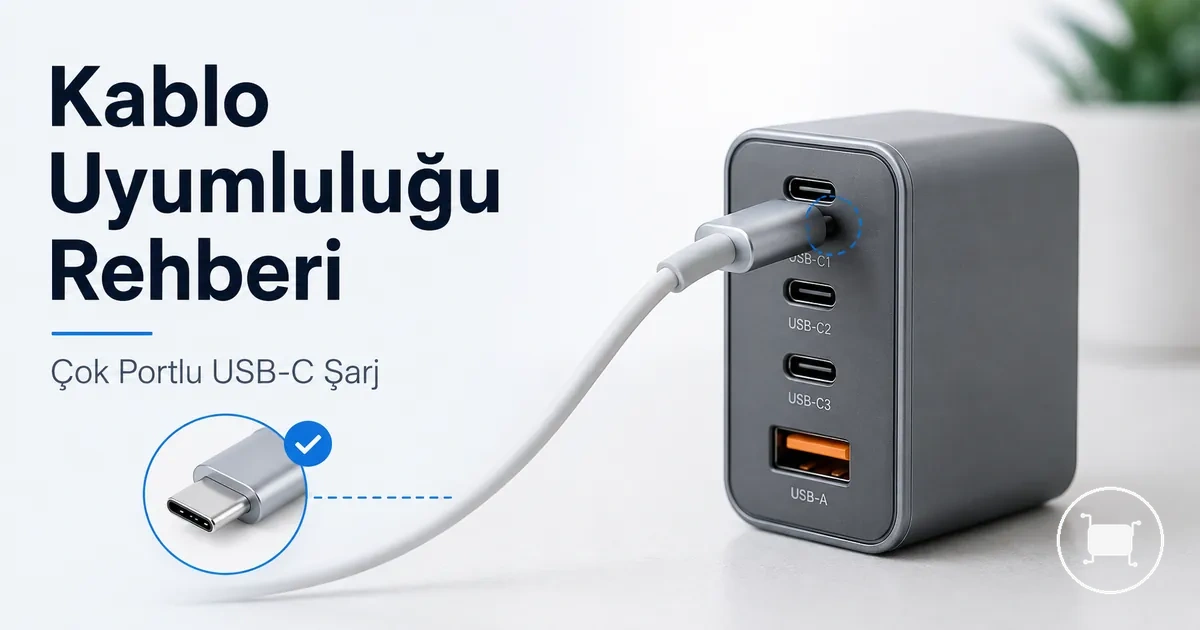
Multiport USB-C charger compatibility for laptops and phones
Multiport USB-C charger compatibility for laptops and phones depends on whether the charger output, port layout, charging protocol, and cable rating match the connected devices. One charger can serve both devices when the laptop receives enough usable USB-C power and the phone can negotiate a suitable charging profile through the same charger system.
A multiport USB-C charger should be judged by the charging path, not only by the connector shape. The laptop, phone, charger, active port, and cable all affect whether charging is normal, slower than expected, or limited by the weakest part of the setup.
USB-C PD support is the main compatibility signal for many laptop charging setups, while phone fast charging may also depend on the phone’s supported profile, including PPS where the device uses it. The charger may still charge both devices without delivering each device’s fastest possible speed if protocol support or cable capacity is incomplete.
Shared output is the key condition when the laptop and phone charge together. A multiport USB-C charger may reduce available power on one port after another device is connected, so compatibility should be checked by device model, required wattage, port priority, and cable rating before relying on one charger for both devices.
When one USB-C charger can work for a laptop and phone
One USB-C charger can work for a laptop and phone when the charger provides suitable output, the devices support compatible charging protocols, and power is negotiated correctly for each connected device. Compatibility depends on charger output and device negotiation, not only on a matching USB-C connector.
The compatibility conditions below help verify whether one USB-C charger can charge both devices. The image highlights the key conditions to check before using a single charger for both.
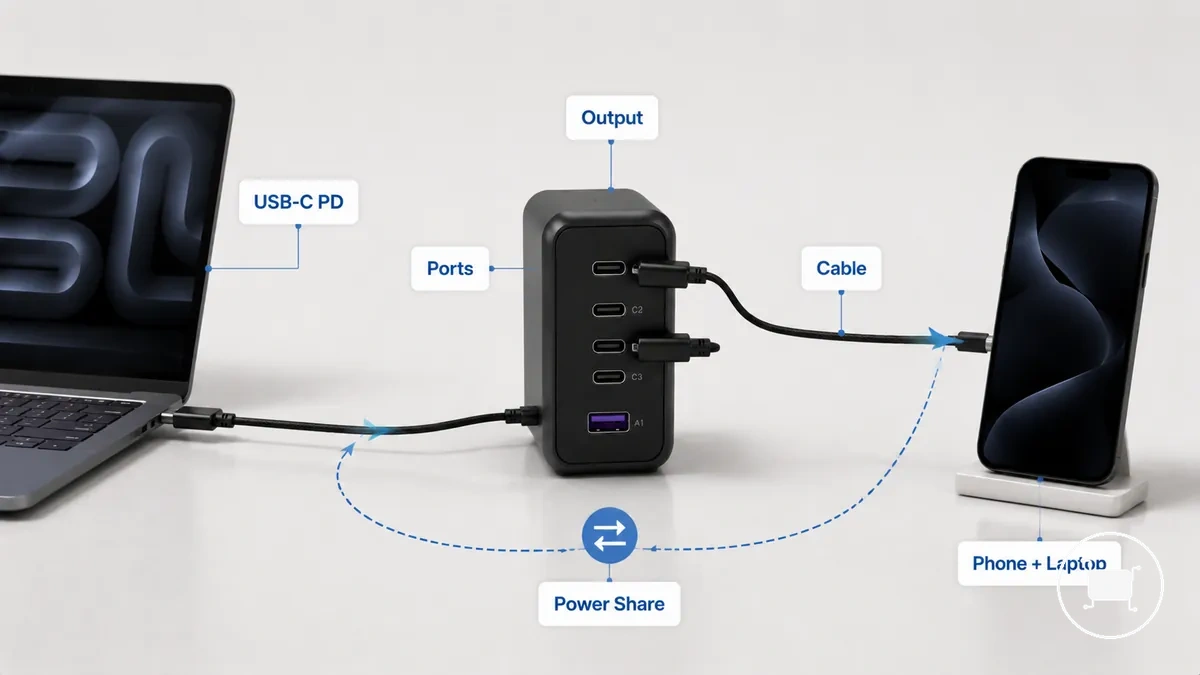
- Confirm the charger can provide sufficient output for the laptop's charging requirement.
- Check that the laptop supports USB-C Power Delivery when charging through its USB-C port.
- Verify the phone supports the charging protocol offered by the charger, including USB-C PD or PPS where applicable.
- Ensure suitable USB-C ports are available if both devices will charge at the same time.
- Use cables that support the required charging capability for each connected device.
- Remember that available power may be shared across active ports, so charging speed can vary by device model and active port allocation.
A low-wattage phone charger often cannot provide enough power for a laptop, even if both devices use USB-C connectors. By contrast, a laptop-capable USB-C charger can usually charge a compatible phone when the charging standards match and negotiated power remains within the phone's accepted limits.
Using a laptop charger with a phone
A laptop-capable USB-C charger can usually charge a compatible phone when the charger, phone, cable, and charging protocol support successful power negotiation. The charger may offer more available wattage than the phone requires, but the phone typically requests only the power level it is designed to accept through compatible charging standards.
The illustration below shows the difference between a charger's available output and the phone's requested input, highlighting why negotiated charging matters more than maximum charger wattage.
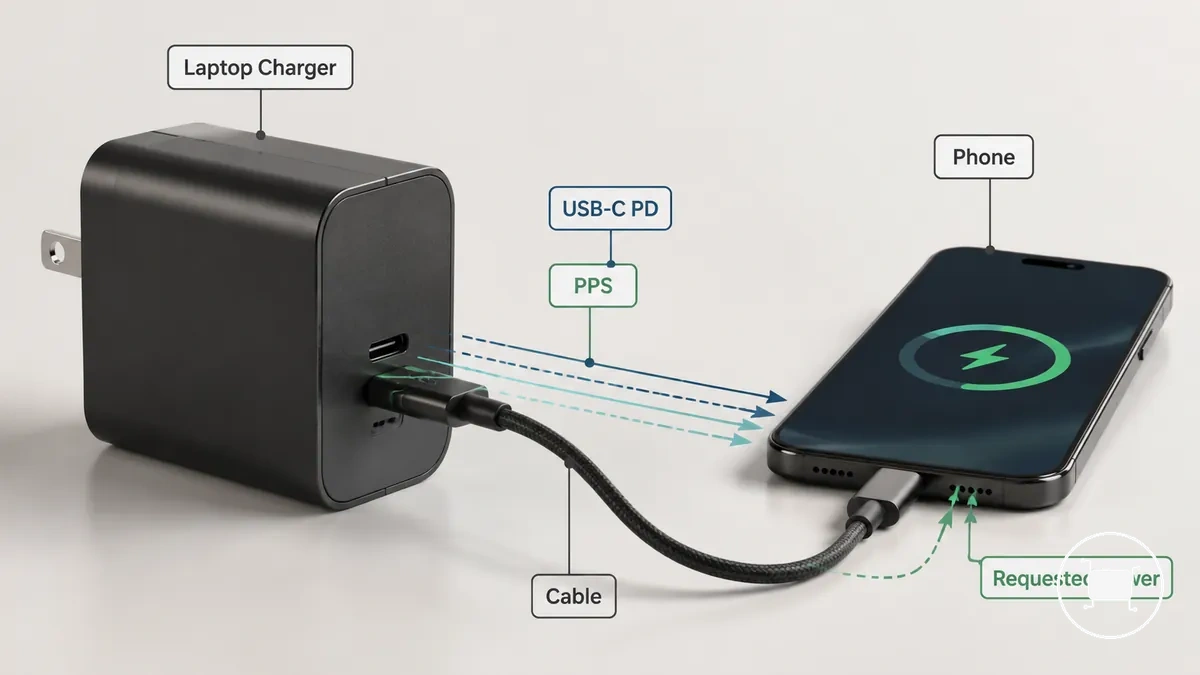
- A laptop-capable USB-C charger may provide higher available output, while the phone usually draws only its supported input.
- USB-C Power Delivery negotiation allows compatible devices to agree on an appropriate charging level.
- Some phones may also support PPS when both the charger and the phone are compatible with that charging mode.
- Cable quality and compatibility can affect whether the intended charging profile is successfully negotiated.
- Charging speed may vary depending on the phone model, charger capabilities, cable condition, and negotiated power profile.
Using a phone charger with a laptop
A phone USB-C charger may charge a laptop only when the charger provides sufficient output, the laptop supports compatible USB-C Power Delivery, and the laptop can accept the available power. If the charger output is too low or the required charging protocol is unavailable, the laptop may charge slowly, continue losing battery under load, or not charge at all.
The comparison below highlights the difference between a phone charger's available output and a laptop's charging demand, showing why both power and protocol support determine the charging outcome.
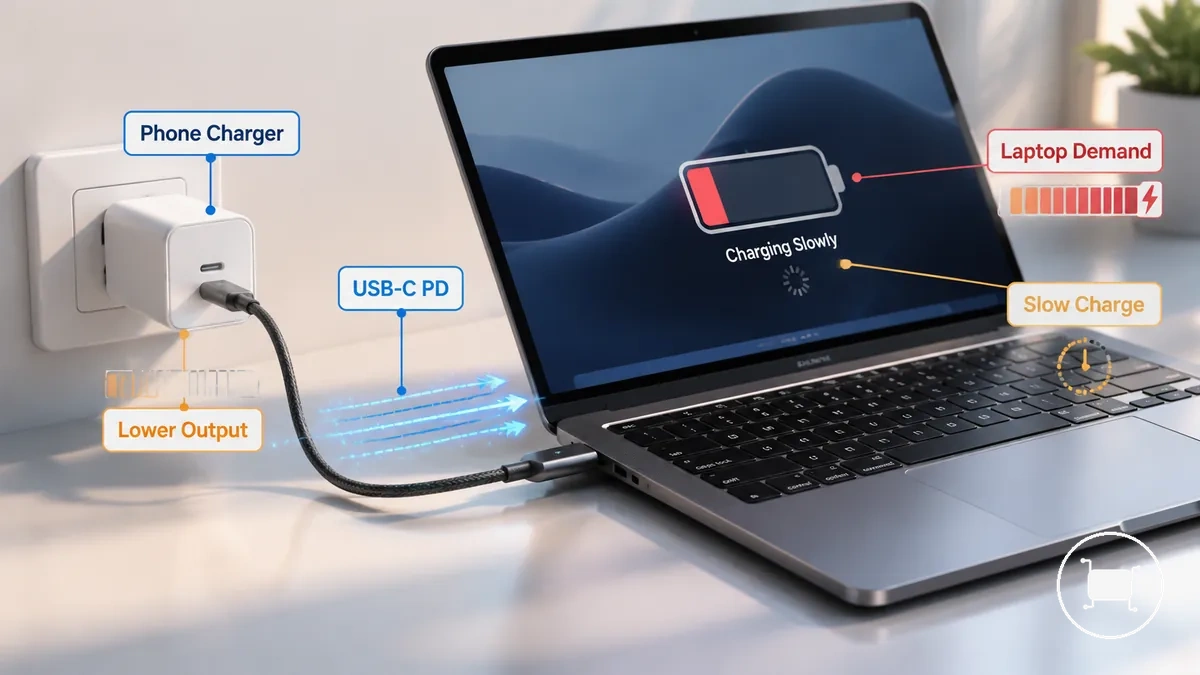
- A phone charger may provide less output than a laptop typically requires for normal operation.
- If the laptop supports USB-C Power Delivery and the charger can meet the laptop's minimum charging requirement, charging may be possible but can remain slower than with a higher-output laptop charger.
- When the laptop's power demand exceeds the phone charger's available output, the battery may continue to drain during active use even while connected.
- If the required charging protocol or sufficient output is unavailable, the laptop may not charge.
- Some smaller laptops and tablets may accept lower charger output than larger or higher-performance laptops when their charging requirements are lower.
Wattage range for laptop and phone charging
Wattage range for laptop and phone charging depends on the laptop first and the phone second. Select a charger based on the laptop's charging requirement, then confirm it can still provide suitable single-port output and shared capacity when both devices are connected. Manufacturer charging requirements should take priority over general wattage classes.
Total charger wattage and single-port output are different measurements. A charger with a higher total output may distribute power across multiple ports, so simultaneous charging performance depends on both the available output from each port and the charger's power-sharing design.
| Charger class | Typical suitability | Decision factor |
|---|---|---|
| 65W | May suit many everyday laptops together with a phone when the laptop's charging requirement fits this class. | Check single-port output and available shared power if both devices will charge simultaneously. |
| 100W | May provide additional capacity for laptops with higher charging requirements or heavier shared charging loads. | Confirm the laptop can receive the required output from one USB-C port. |
| Higher-output chargers | May offer greater flexibility for larger laptops or multiple connected devices. | Select according to the laptop manufacturer's charging guidance rather than advertised total wattage alone. |
Phone fast-charging demand also contributes to the total load, although the laptop usually remains the primary sizing factor. For more detailed guidance on wattage for mixed devices, compare the laptop's charging requirement, the charger's single-port capability, and expected power sharing instead of relying only on the advertised total output.
Minimum laptop charging wattage
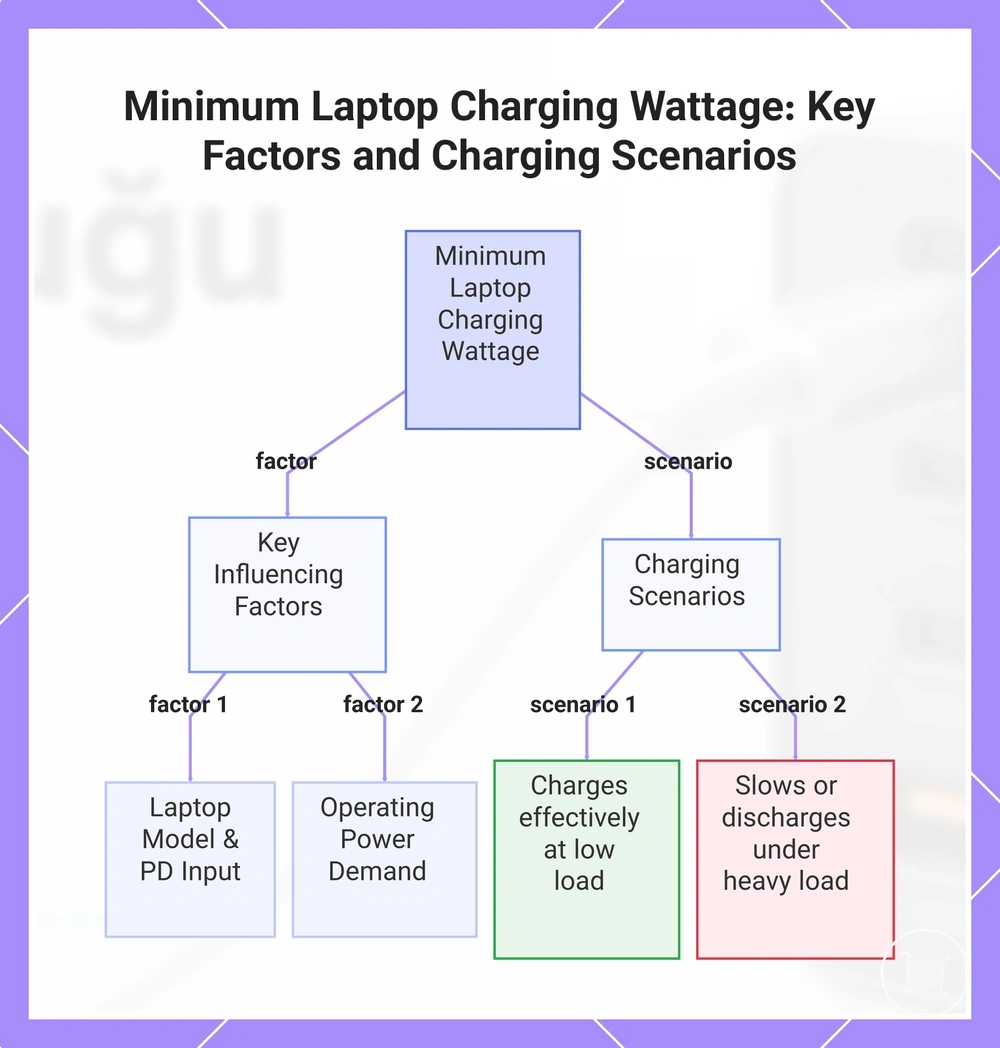
Minimum laptop charging wattage depends on the laptop model, its supported USB-C Power Delivery input, and the power required during operation. A lower-wattage adapter may charge a compatible laptop when power demand is low, but the charging outcome can change as the operating load increases.
Minimum charging requirements vary by laptop category. The required adapter wattage, the laptop's accepted USB-C PD input, and whether the system is idle, asleep, or actively running all influence charging performance.
- Smaller laptops and similar portable devices may accept lower-wattage adapters when their charging requirements are lower.
- Larger or higher-performance laptops often require higher adapter output to maintain charging during normal operation.
- A compatible lower-wattage adapter may charge the battery more effectively while the laptop is idle or in sleep mode because power demand is reduced.
- If the laptop draws more power than the adapter can provide during heavy workloads, charging may slow or the battery may continue to discharge even while connected.
Compare the laptop's required adapter wattage with the charger's available USB-C output instead of assuming one minimum charging wattage applies to every laptop model.
This chart shows the key factors and charging outcomes that determine the minimum laptop charging wattage.
65W and 100W mixed-device charging
65W and 100W mixed-device charging depends on the laptop's required input, the charger's single-port output, and how power is split when the phone is connected. A 100W charger is not automatically necessary, and a 65W charger is not always sufficient, because usable output can change by active port combination.
Total wattage describes the charger class, while per-port output shows what one device may actually receive. When a laptop and phone charge together, shared load can reduce the output available to the laptop, especially if the charger prioritises or limits ports during dual-device charging.
| Charging setup | Likely behavior | Decision signal |
|---|---|---|
| 65W charger with laptop and phone | May work for a laptop with modest power needs, but shared output can leave less headroom when the phone is also charging. | Check whether the laptop still receives enough power from the active USB-C port. |
| 100W charger with laptop and phone | May provide more shared charging headroom, especially when the laptop draws more power during active use. | Confirm the charger's dual-port split, not only the total wattage rating. |
| Laptop, phone, and tablet | Adding a tablet can reduce available output for the laptop and phone if the charger divides power across more active ports. | Use the port-output chart to judge whether the main laptop port remains suitable. |
For example, a charger may advertise a higher total rating but provide less to the laptop after a phone is connected to a second port. The better choice is the charger class whose active-port output still fits the laptop's demand while leaving enough shared capacity for the phone or a tablet add-on.
High-wattage charger safety for phones
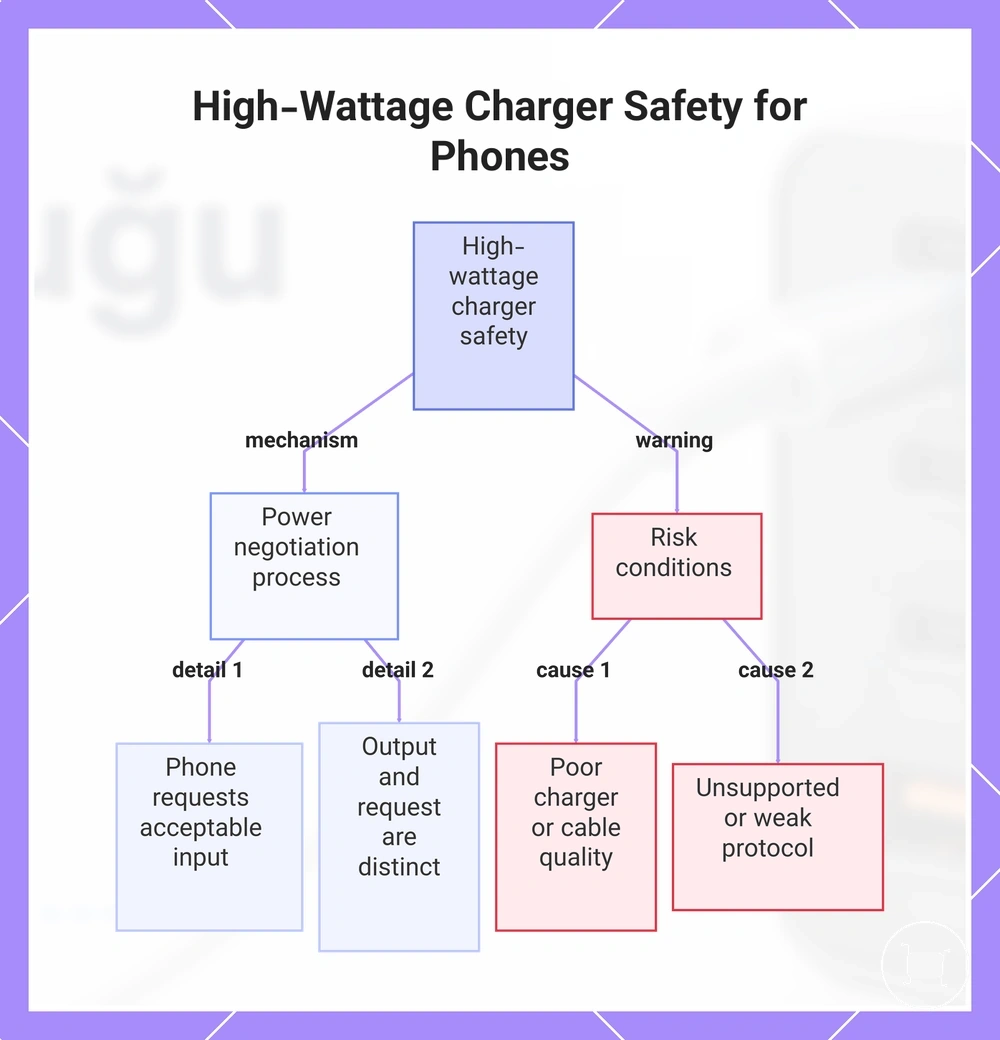
A high-wattage USB-C charger does not usually force its full wattage into a compatible phone when the charger, phone, cable, and charging protocol negotiate power correctly. The charger may offer a high maximum output, but the phone typically requests only the input level it can accept under compatible standards.
Maximum charger output and phone requested input are different values. A compatible phone draws power through negotiation, so charging behavior depends on the phone's supported profile, the charger's protocol support, and the cable's ability to carry the negotiated power.
Safety note: Heat, charging speed, and reliability can vary when charger quality, cable condition, or protocol support is weak. Poor-quality chargers, damaged cables, or unsupported standards may create more risk than the wattage rating alone.
This chart shows how power negotiation prevents overcharging and identifies risk factors from poor-quality components.
Port layout and power sharing when devices charge together
Port layout and power sharing affect simultaneous laptop and phone charging by determining how available output is distributed across active ports. The charging result depends on the charger's port arrangement, individual port ratings, priority rules, and how output is reallocated after additional devices are connected.
Total charger wattage and per-port output are different attributes. A charger may advertise a high total output while limiting the power available from individual ports or changing port priority when multiple ports are active, depending on the charger design.
| Port attribute | Effect during simultaneous charging | What to check |
|---|---|---|
| High-output USB-C port | Often provides the highest available output for a laptop when used alone. | Confirm the port's individual output rating rather than relying only on the total charger rating. |
| Secondary USB-C or USB-A port | Connecting another device may reduce the output available from one or more active ports, depending on the charger design. | Review the labelled dual-port or multi-port output behaviour. |
| Additional tablet or third device | Adding another device can trigger further redistribution of available output across active ports. | Check whether the laptop continues to receive sufficient output after power sharing changes. |
For example, a laptop connected to the highest-output USB-C port may receive less available power after a phone or tablet is connected because the charger can redistribute output across active ports. For more detail about shared output with several devices, review how different charger designs manage active port combinations.
High-output USB-C port for the laptop
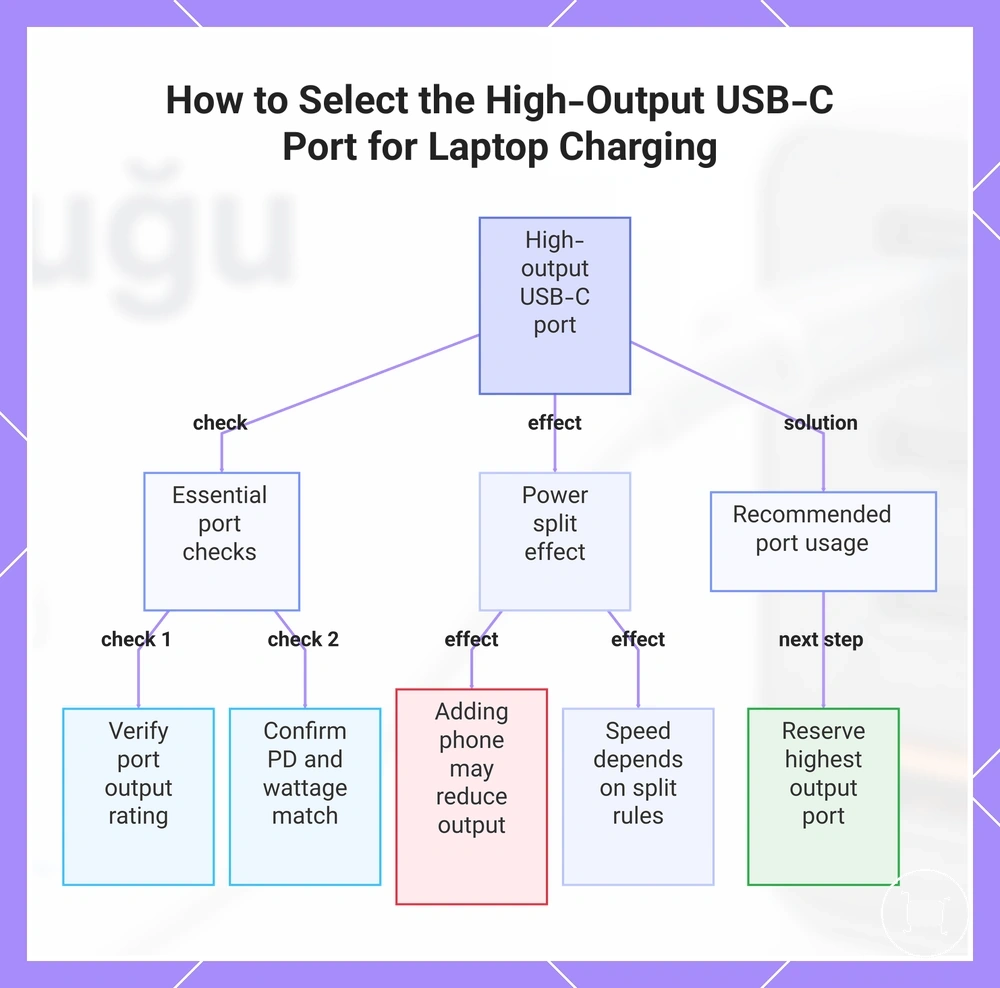
The high-output USB-C port should usually be reserved for the laptop because the laptop is more likely to need the charger's strongest supported USB-C output. Full-speed charging still depends on the port rating, USB-C PD support, the laptop's wattage requirement, and whether another device changes the active power split.
Check the port label or output chart before connecting the laptop because multiport chargers may assign different maximum output levels to different ports. When a phone is added to another port, the laptop port may keep enough output, charge more slowly, or lose charging headroom depending on the charger's split rules.
- Use the USB-C port marked with the highest supported output for the laptop.
- Confirm that the selected port supports USB-C Power Delivery for the laptop's charging path.
- Compare the port's available output with the laptop's required charging wattage.
- Check whether connecting a phone to a second port reduces the laptop port's available output.
For example, a laptop connected to a lower-output port or to a port reduced by shared output may charge more slowly than expected. The port choice matters because the laptop's charging result depends on the active port, not only on the charger's total rating.
This chart shows the key checks and considerations for reserving the correct high-output USB-C port on a multiport charger to ensure the laptop charges at full speed.
Shared output across phone, tablet, and extra ports
Shared output across phone, tablet, and extra ports depends on how the charger distributes available power after additional devices are connected. As more ports become active, the charger may reallocate output between connected devices according to its design and the active port combination.
Extra connected devices do not always affect charging in the same way. The outcome depends on the charger's total output, the number of active ports, and the output combinations shown on the charger label or output chart.
- Laptop and phone: The laptop may continue charging normally or receive reduced output after the phone is connected, depending on the charger's active port allocation.
- Laptop, phone, and tablet: Adding a tablet can trigger another output redistribution, leaving less available power for one or more connected devices.
- Laptop, phone, and USB-A device: Even a USB-A accessory can change the charger's output allocation if activating another port changes the supported output combination.
- Multiple active ports: Check the charger label because supported output combinations may differ depending on which ports are active together.
When charging behaviour changes after another device is connected, the cause is often the charger's dynamic output allocation rather than a fault with the laptop, phone, tablet, or cable.
USB-C PD, PPS, and cable compatibility checks
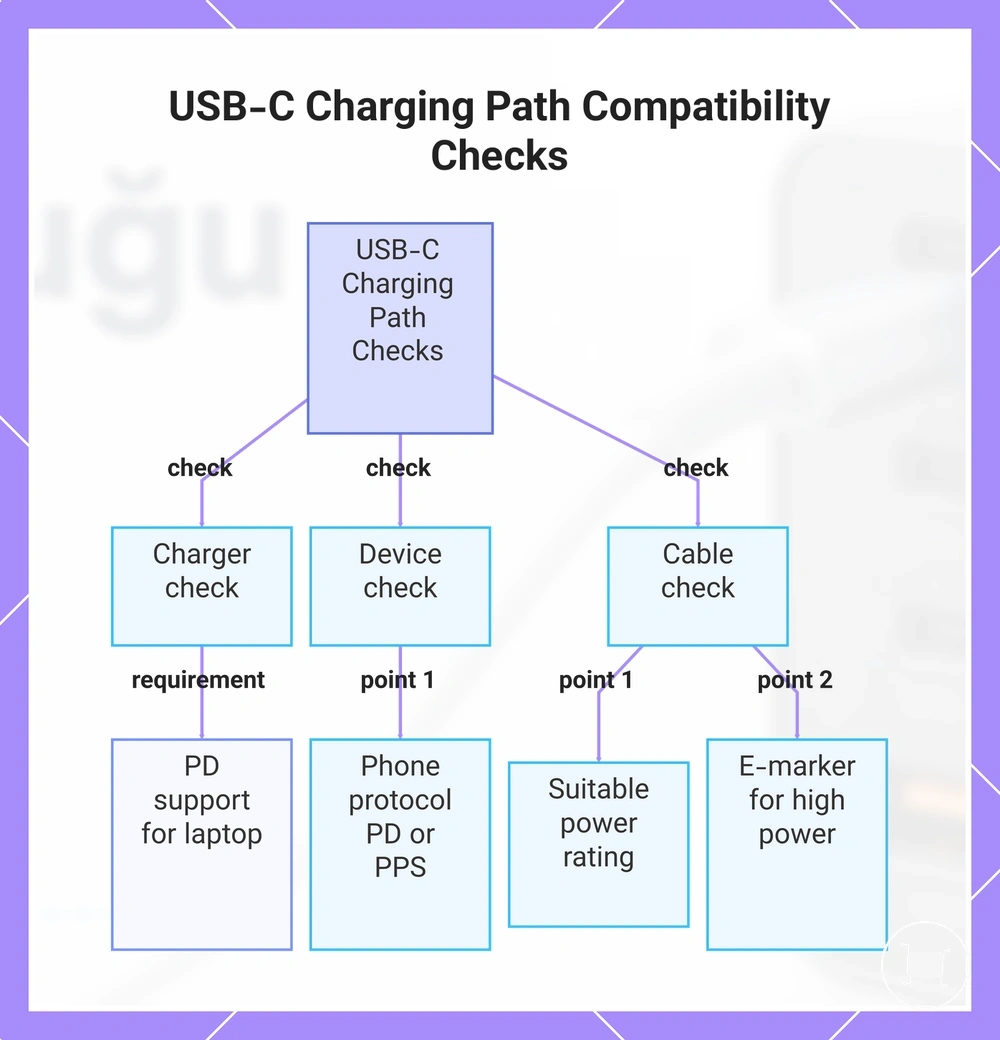
USB-C PD, PPS, and cable compatibility checks depend on the entire charging path rather than the charger alone. The charger, connected device, and USB-C cable must all support the required charging path before a laptop and phone can charge as expected from the same multiport charger.
A higher-wattage charger does not automatically deliver higher charging performance if the cable or charging protocol becomes the limiting factor. Fast charging may depend on USB-C Power Delivery support, PPS for compatible phones, cable capability, and the charging protocol accepted by each connected device.
- Confirm the charger supports USB-C Power Delivery for the laptop's charging path.
- Check whether the phone uses USB-C PD or also benefits from PPS for its supported fast-charging profile.
- Use a USB-C cable with a suitable power rating for the intended charging level.
- Where higher-power charging requires it, confirm the cable includes appropriate E-marker support.
- Verify that the cable connector type and the device's charging protocol are compatible with the selected charger port.
Checking the complete charging path can help avoid situations where a capable charger is limited by the connected cable or protocol. For more detail about USB-C cable requirements, compare cable capabilities with the intended charging setup.
Charging performance may still vary by device because protocol support differs between models. Additional guidance on fast charging protocol compatibility can help explain why compatible devices sometimes charge at different speeds.
This chart shows the three essential checks for ensuring laptop and phone charge correctly from a multiport USB-C charger: charger support, device protocol, and cable capability.
Protocol support for laptop and phone fast charging
Protocol support for laptop and phone fast charging depends on whether the charger, device, and cable can negotiate a compatible output. A laptop commonly needs a USB-C Power Delivery path, while a phone may use USB-C PD, PPS where supported, or another compatible fast-charging profile.
The same charger can charge both devices without delivering the fastest possible profile to each one. Charging may still work at a lower or more basic level when the device, charger, or cable supports charging but does not support the preferred fast-charging mode.
Compatibility note: For laptops, confirm USB-C PD support on the charger, laptop, and cable path. For phones, check whether the phone benefits from PPS or another supported profile, then confirm the charger and cable can support that negotiated output.
Protocol support should be treated as a matched path, not a single charger feature. If the charger supports a fast profile but the phone, laptop, or cable does not support the same path, charging speed may be limited even when the charger has enough available wattage.
Cable rating for 100W and higher charging
Cable rating for 100W and higher charging depends on the cable as well as the charger and laptop. Even when a charger supports high output, the cable can become the limiting part of the charging path if its rating or features do not match the intended charging level.
Match the cable to the laptop's charging requirement and the charger's output rather than to the phone alone. A USB-C to USB-C cable with appropriate support for higher-power charging may be needed where the charger and laptop are designed for that charging path.
- Check that the cable's power rating is suitable for the intended laptop charging level.
- Use a USB-C to USB-C cable when the charger and laptop require that connection.
- Where higher-power charging requires it, confirm the cable includes appropriate E-marker support.
- Replace cables that are damaged, excessively worn, or have loose connectors because they may affect charging behaviour.
- Do not assume every USB-C cable supports the same charging capability, even if the connectors look identical.
A higher-rated charger alone cannot provide higher charging performance if the cable limits the charging path. Charging behaviour depends on compatible support across the charger, laptop, and cable, with the cable forming an essential part of the complete charging path.
Choosing a charger for laptop and phone setups
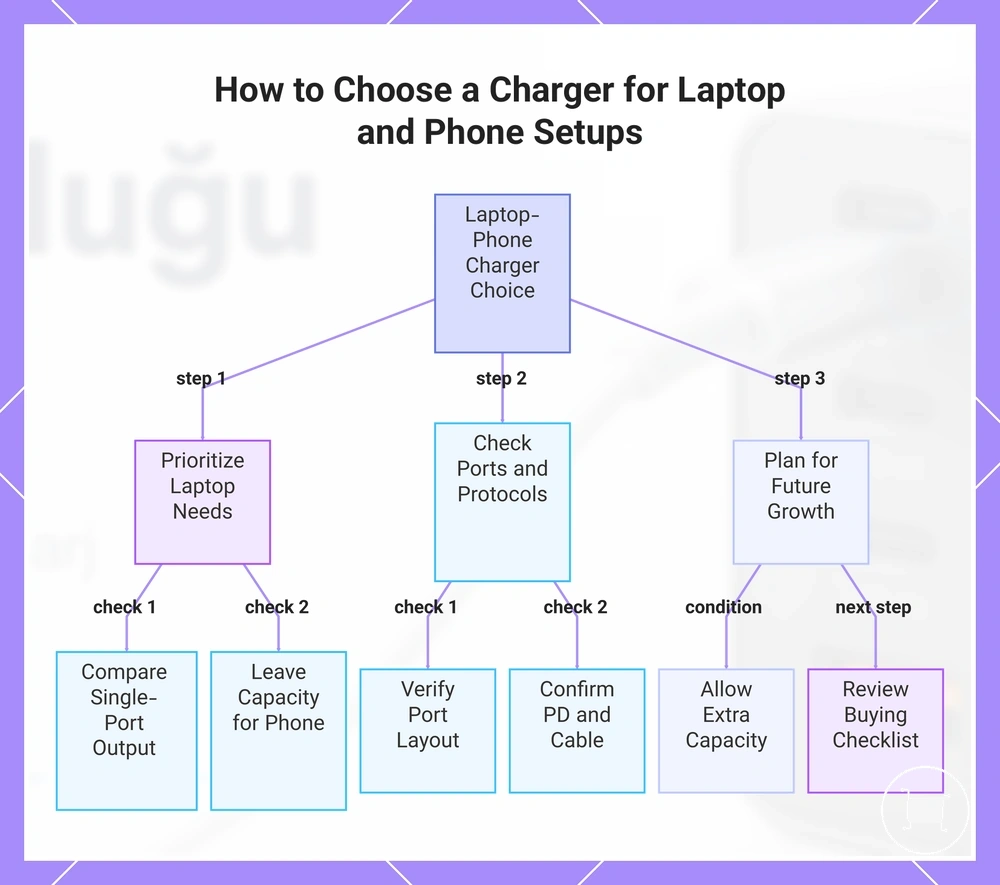
Choosing a charger for a laptop and phone setup depends on the laptop's charging requirement, the charger's port layout, supported charging protocols, and how many devices you expect to charge now and in the future. The most suitable choice should match the laptop's needs first while leaving appropriate capacity for the phone.
Start by comparing the laptop's required charging input with the charger's single-port output before considering the total advertised wattage. When you choose a multiport USB-C charger, consider whether the port layout, USB-C Power Delivery support, and expected power sharing suit your everyday charging setup.
A dual USB-C charger may suit a laptop-and-phone setup when two charging ports are enough and the available output matches both devices. A GaN charger may be a practical option when compact size is important for travel, while a charger with more ports may better suit a desk setup or users who expect to add tablets or other USB devices later.
Select the charger according to the complete charging path, including compatible cables and future device requirements, rather than focusing on wattage alone. If you expect your charging needs to grow, review the buying checklist for multiple devices before making a final decision.
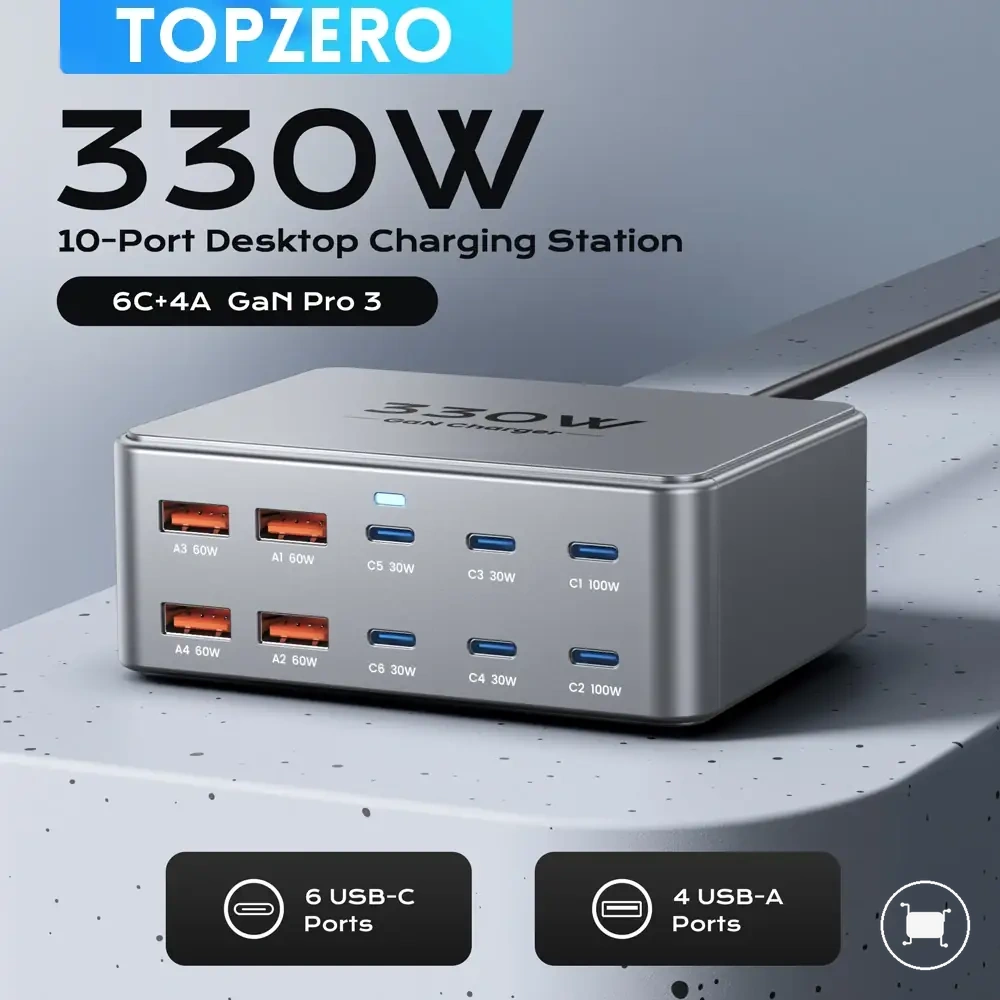
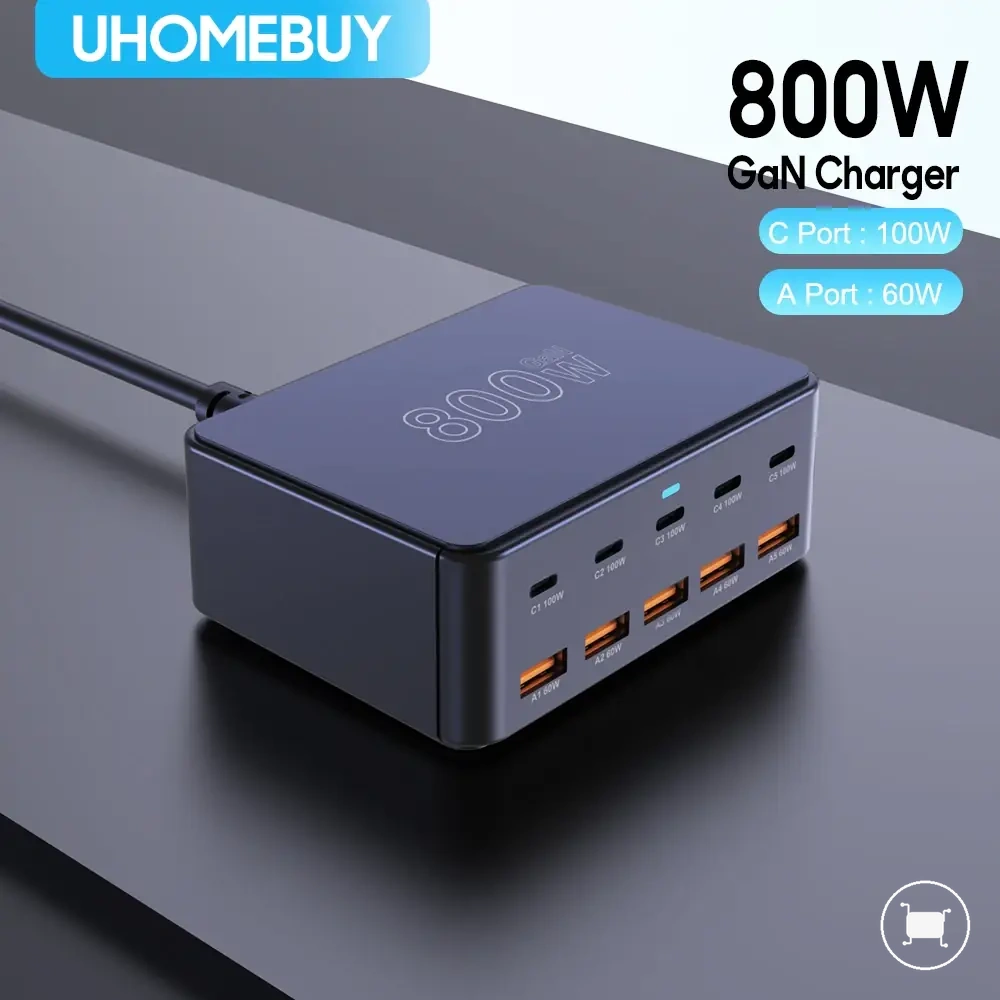
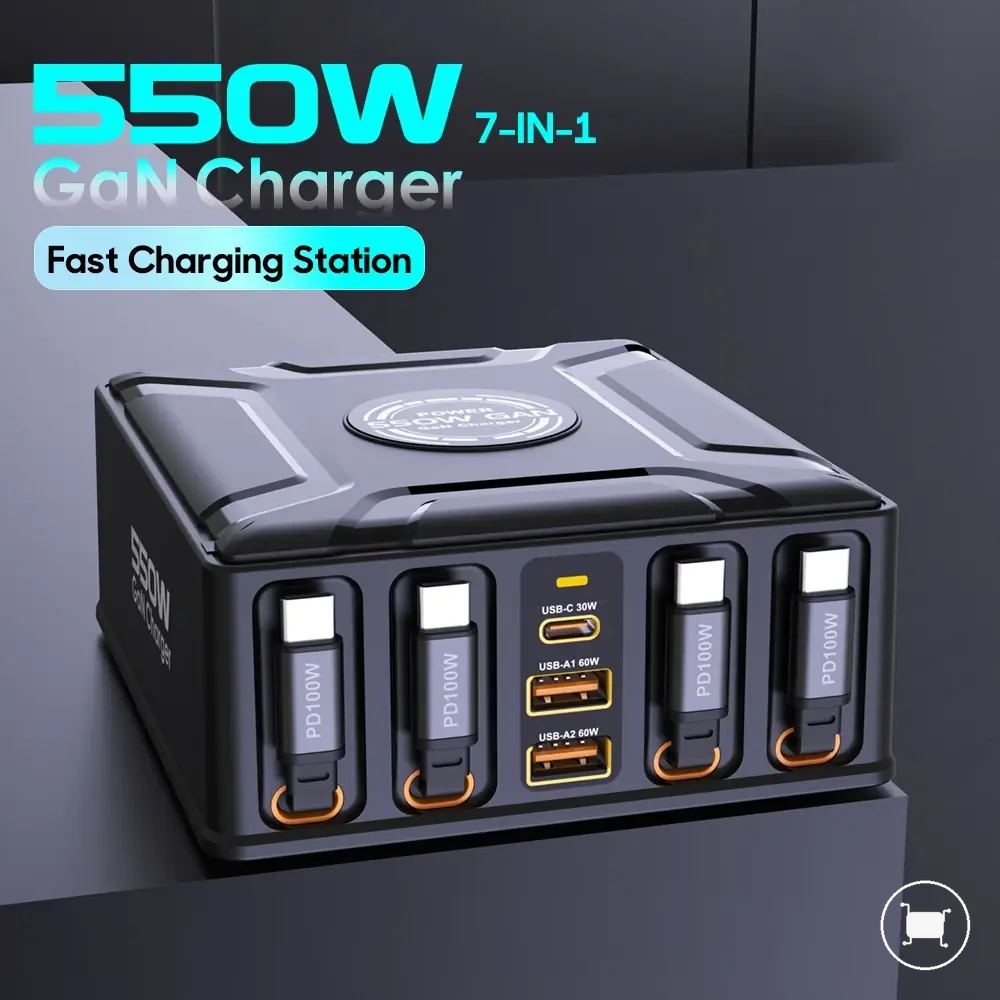
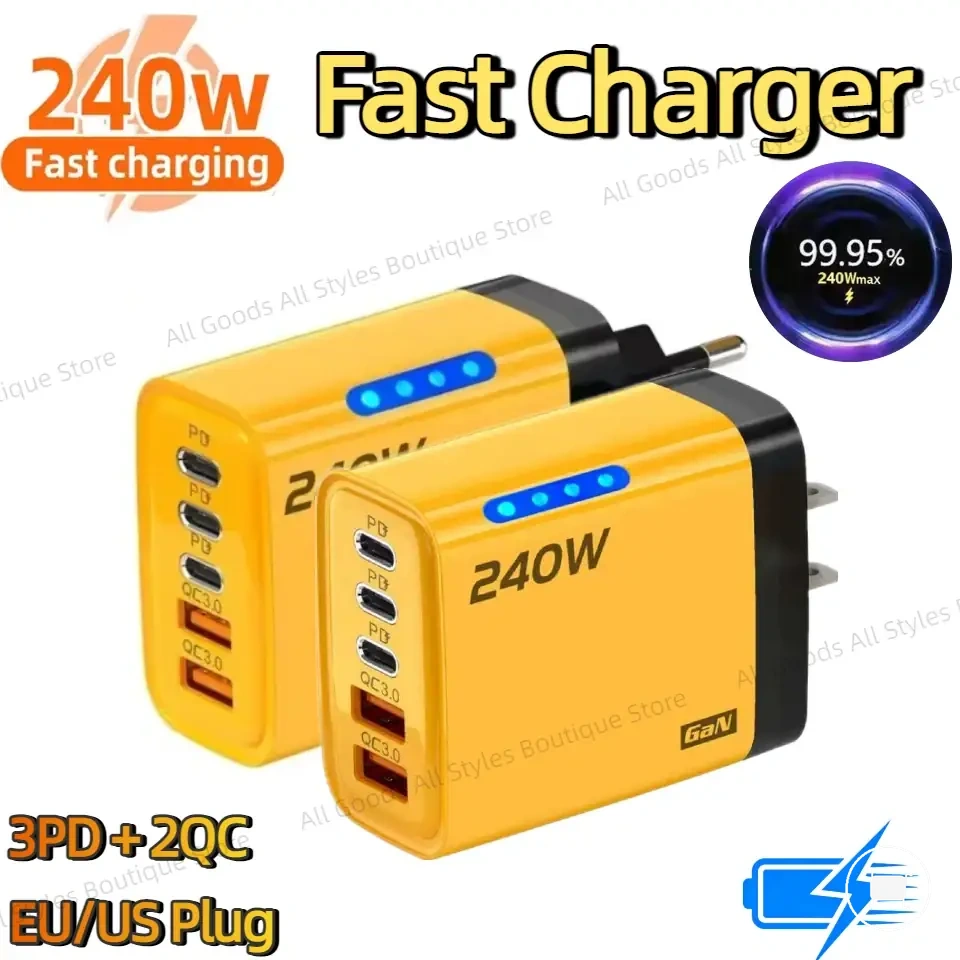
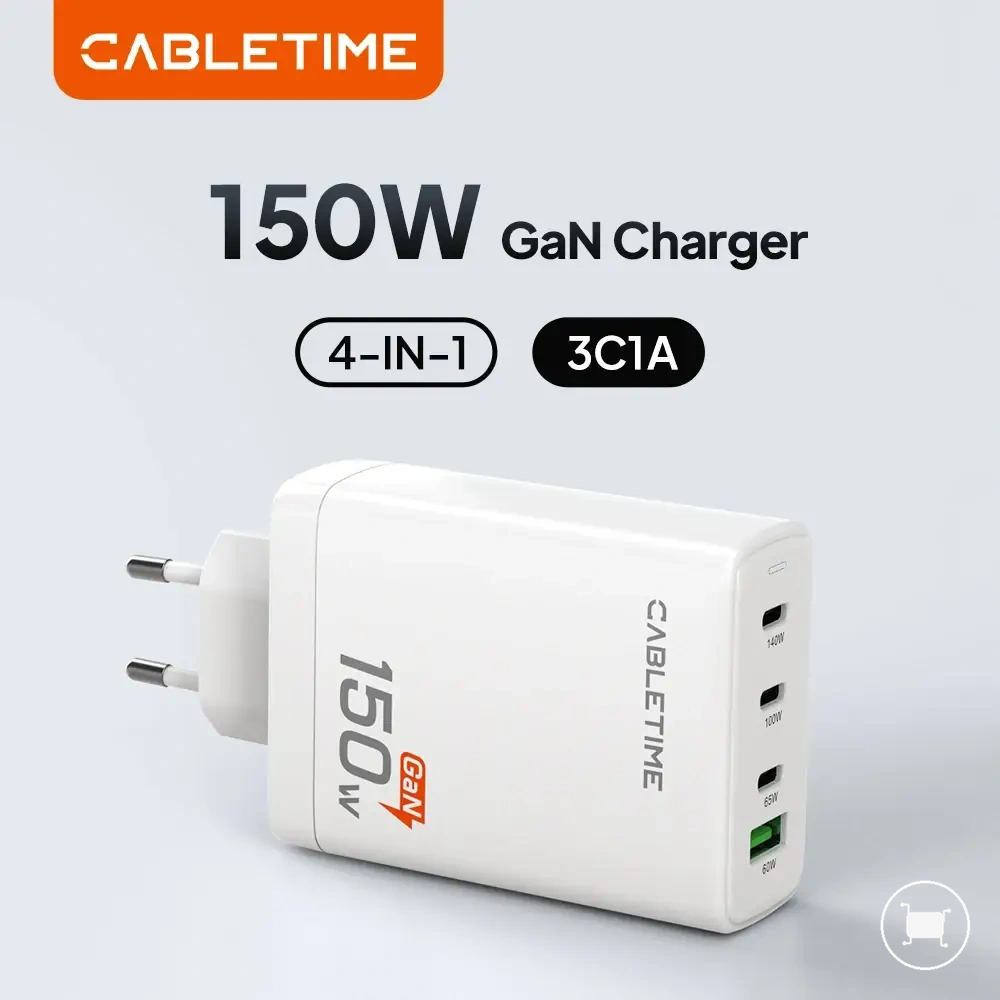
Here are product examples that may make comparison easier. Before buying, always review the compatibility criteria, essential features, and product details.
- Match the charger's single-port output to the laptop's charging requirement.
- Check the port layout for the devices you plan to charge together.
- Confirm protocol compatibility and suitable cable support.
- Allow extra capacity if you expect to add more devices in the future.
This chart shows the key steps and checks for selecting a charger that fits both laptop and phone charging needs.
Dual USB-C chargers for two main devices
A dual USB-C charger may be enough for a laptop and phone setup when one port can provide suitable laptop output and the second port can handle phone charging at the same time. The decision depends on dual-port output, total wattage, and whether the charger allocates enough power to the laptop first.
Dual-port chargers fit narrow two-device setups best because both available ports are already assigned. If you regularly charge a tablet, earbuds, watch, or another accessory at the same time, a dual USB-C charger may leave no extra-device capacity without unplugging one of the main devices.
- Ideal fit: A dual USB-C charger can suit a laptop-and-phone setup when the laptop receives enough output from the primary USB-C port and the phone can charge from the secondary USB-C port.
- Main limitation: A dual USB-C charger may be restrictive when extra devices are charged often because the two-port layout leaves limited room for tablets or accessories.
Choose a dual USB-C charger only when the laptop-first power allocation and phone secondary charging path match the way the setup is used. If extra devices are common, a charger with more ports may be a better fit than forcing a two-port charger to cover more than two main devices.
GaN multiport chargers for compact high-output use
A GaN multiport charger may make sense for compact laptop and phone charging when its output, port layout, and protocol support still match the devices being charged. GaN design can support a smaller charger form factor, but compact size does not replace the need to check total wattage, single-port output, and shared output behaviour.
GaN multiport chargers are most useful when space matters and the charger still provides the required charging path for the laptop and phone. Heat expectations, port performance, and charging speed can still vary by charger design, active port combination, cable rating, and device support.
- Useful trade-off: A GaN multiport charger may suit travel or compact desk use when it combines a smaller body with suitable output for the laptop and phone.
- Required check: The charger still needs compatible USB-C PD support, suitable cable rating, and a port layout that handles shared output when both devices are connected.
- Main boundary: GaN is a design advantage, not a guarantee of compatibility, safer operation, cooler behaviour, or better charging for every setup.
Choose a GaN multiport charger only when the compact design supports the actual charging requirements of the setup. If the port split, cable path, or device protocol is limiting, GaN technology alone will not make the charger a better fit.
Higher-port chargers for laptop, phone, and tablet combinations
A higher-port charger may be useful for laptop, phone, and tablet combinations when the extra ports do not reduce the main devices below their needed charging output. More ports only help if the charger's total wattage, high-output USB-C port, and active-port split still support the laptop and phone while the tablet or accessories are connected.
The main decision is whether the added port count creates useful headroom or spreads the available output too thin. A higher-port charger can suit a setup with a laptop, phone, and tablet when the laptop keeps access to a suitable high-output USB-C port and the remaining ports can handle secondary devices without forcing unwanted slow charging.
- Laptop plus phone plus tablet: A higher-port charger may help when total output and port allocation leave enough power for the laptop while the phone and tablet charge at suitable levels.
- Laptop plus phone plus accessories: Extra ports may be useful for smaller devices when accessory demand is low and the charger does not reduce the laptop port below a usable output.
- High-output USB-C availability: More ports are less helpful if the charger lacks a strong primary USB-C port for the laptop.
- Simultaneous charging behaviour: Check the labelled port combinations because adding devices can change output distribution across active ports.
Choose a higher-port charger when the setup regularly includes a tablet or smaller devices alongside the laptop and phone. If those extra devices are occasional, a simpler charger may be enough, provided the main laptop and phone charging paths remain supported.