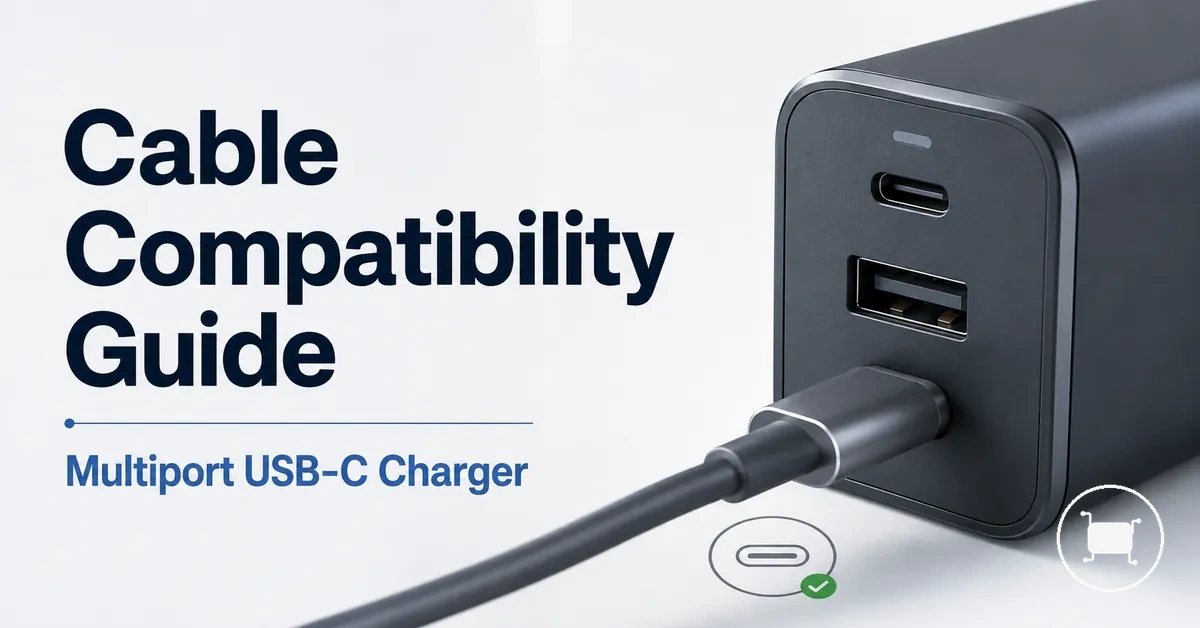
Multiport USB-C charger cable compatibility for fast charging
Multiport USB-C charger cable compatibility depends on charger output, cable rating, port path, device demand, and negotiated power. A USB-C cable can support fast charging only when the charger, cable, port path, and device can agree on a suitable power level, so the charging outcome remains conditional.
The same multiport USB-C charger may behave differently with different cables or devices because the compatibility path changes with cable capability and device demand. A higher-rated cable can provide headroom, but fast charging is negotiated across the charger, cable, and device rather than decided by cable rating alone.
Cable compatibility is the fit between the USB-C cable and the power path required by the connected device. This page keeps cable compatibility separate from charger wattage, port mix, charging protocols, safe use, and broader not-charging diagnostics before moving into the cable-specific criteria that shape fast-charging results.
What cable compatibility means for multiport USB-C charging
USB-C cable compatibility is the match between cable capability, charger output, port type, charging protocol, and device demand. A compatible charging path depends on these factors working together rather than on connector shape alone. Physical fit confirms that a USB-C cable can connect, but it does not by itself confirm fast-charging support.
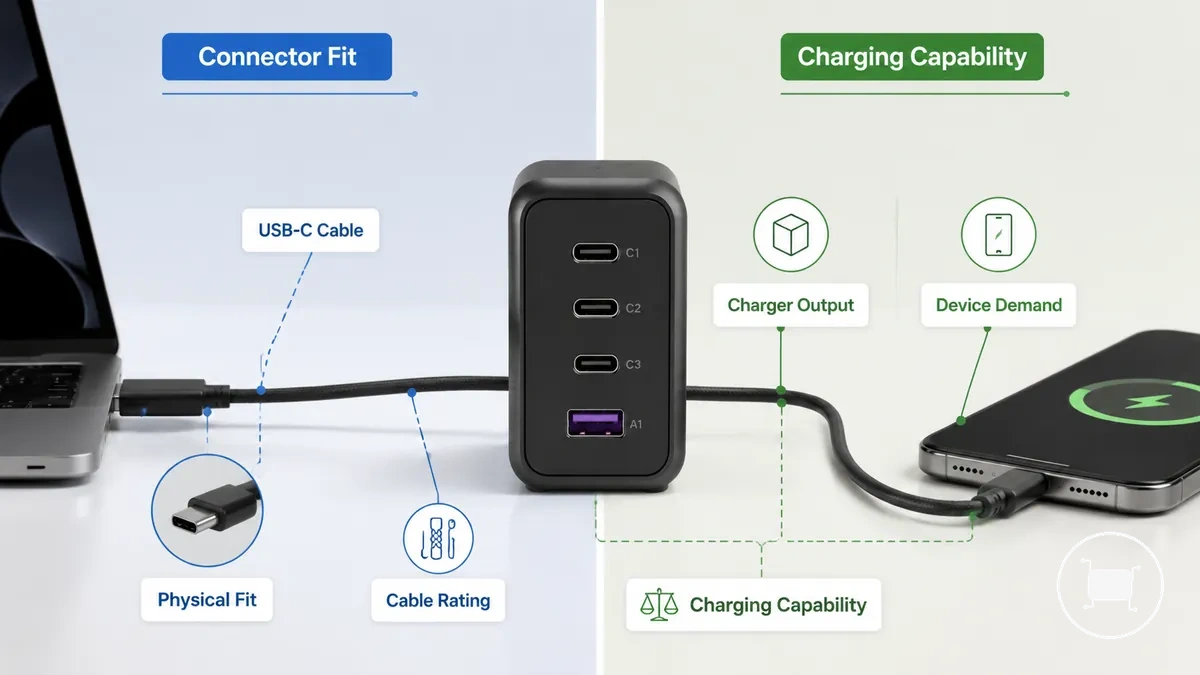
What cable compatibility means for multiport USB-C charging is easier to understand when physical fit is separated from charging capability. The diagram highlights that connector shape and charging performance represent different compatibility dimensions.
| Physical fit | Charging capability |
|---|---|
| Connector shape allows a USB-C cable to connect to the charger port and the device. | Power rating, current rating, USB-C PD support, charger output, port type, and device-side limits can affect the negotiated charging outcome. |
A physically fitting cable may still charge at a lower power level when the charger or device negotiates reduced power, even though the cable is compatible. For broader context before continuing with cable-specific topics, see the multiport USB-C charger overview.
Cable wattage ratings and E-marker requirements
Cable wattage ratings and E-marker requirements can limit whether a multiport USB-C charger delivers higher-power charging through a specific USB-C cable. A cable rating describes supported wattage and current rating, while E-marker signaling can communicate cable capability for higher-power charging. Rating, current, and signaling are the key attributes that influence the charging limit.
Cable wattage ratings and E-marker requirements become easier to understand when cable capability is considered separately from charger output. The illustration highlights how wattage rating, current support, and E-marker signaling can influence charging limits before the cable connects to the device.
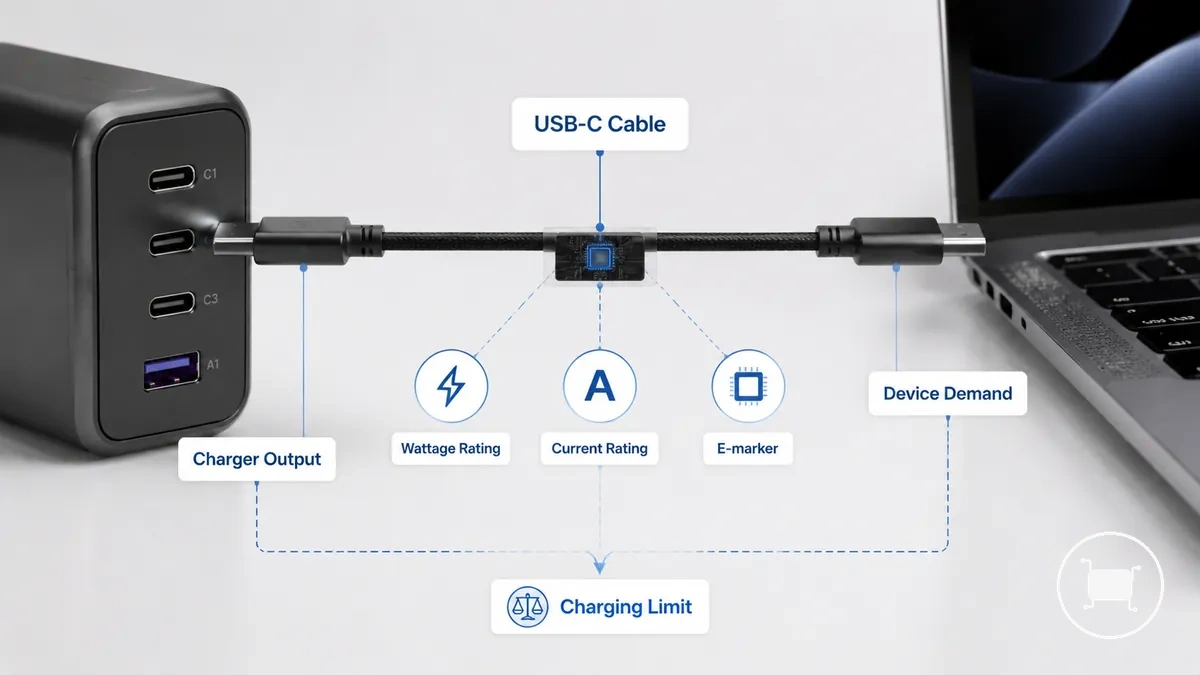
A lower-rated USB-C cable may become the limiting part of a high-wattage charging path even when the charger can provide more power, because the delivered charging level still depends on charger and device negotiation. The table summarizes common cable conditions before exploring broader wattage and cable limits.
| Cable condition | Attribute | Value or signal | Charging effect |
|---|---|---|---|
| Common lower-power cable | Current rating | Lower cable rating | May limit higher-wattage charging |
| Higher-rated cable | Power rating | Higher cable capability | Can support higher charging when the charger and device also support it |
| E-marker-supported cable | E-marker signaling | Capability signal | Can communicate higher-power cable capability |
| Unclear or unlabeled cable | Capability information | Unknown | Compatibility outcome may remain uncertain |
60W, 100W, and 240W charging ranges
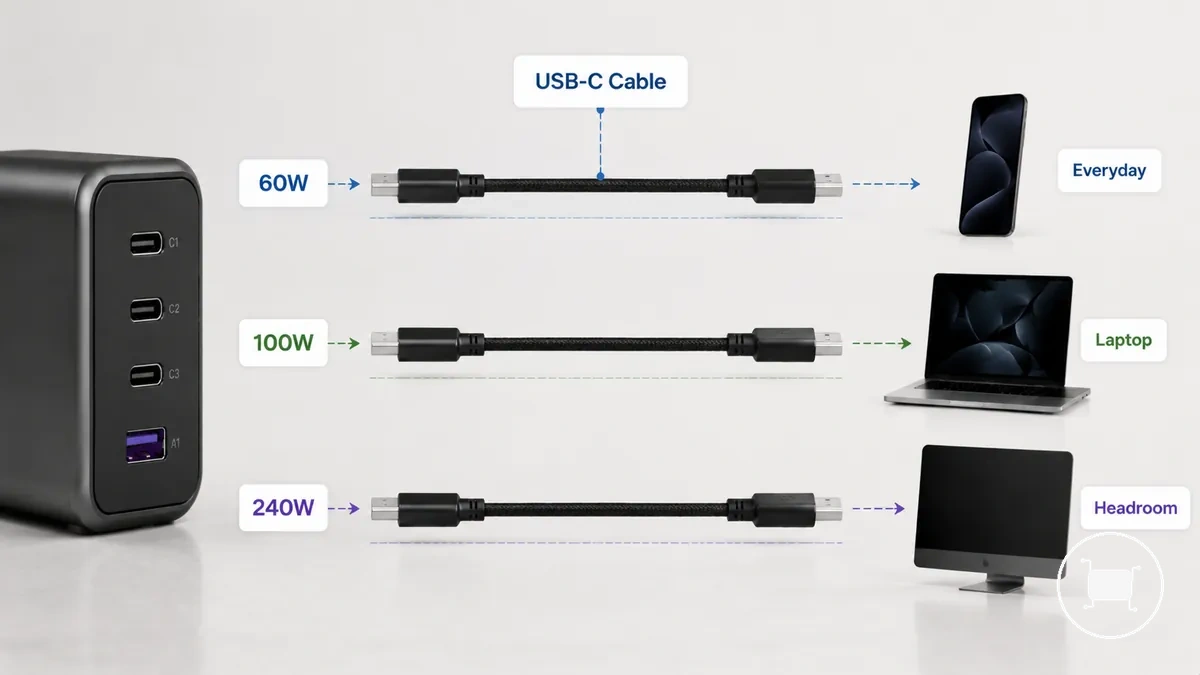
60W, 100W, and 240W ratings describe a cable-supported power range, not a guaranteed charging speed. The charging outcome still depends on the charger, USB-C cable, and connected device, so a higher cable rating mainly provides additional headroom when the rest of the charging path can use it. The image organizes 60W, 100W, and 240W charging ranges visually, and the table compares each rating by current level, common device fit, and bottleneck risk.
| Rating | Current level | Common fit | Bottleneck risk |
|---|---|---|---|
| 60W | Lower current level | Everyday USB-C charging | May become a bottleneck for higher-power devices |
| 100W | Higher current level | Laptop charging and other high-power use | Usually lower when matched with compatible equipment |
| 240W | Extended Power Range | Can provide additional headroom when supported | Depends on charger, cable, and device support |
3A, 5A, and E-marker capability signaling
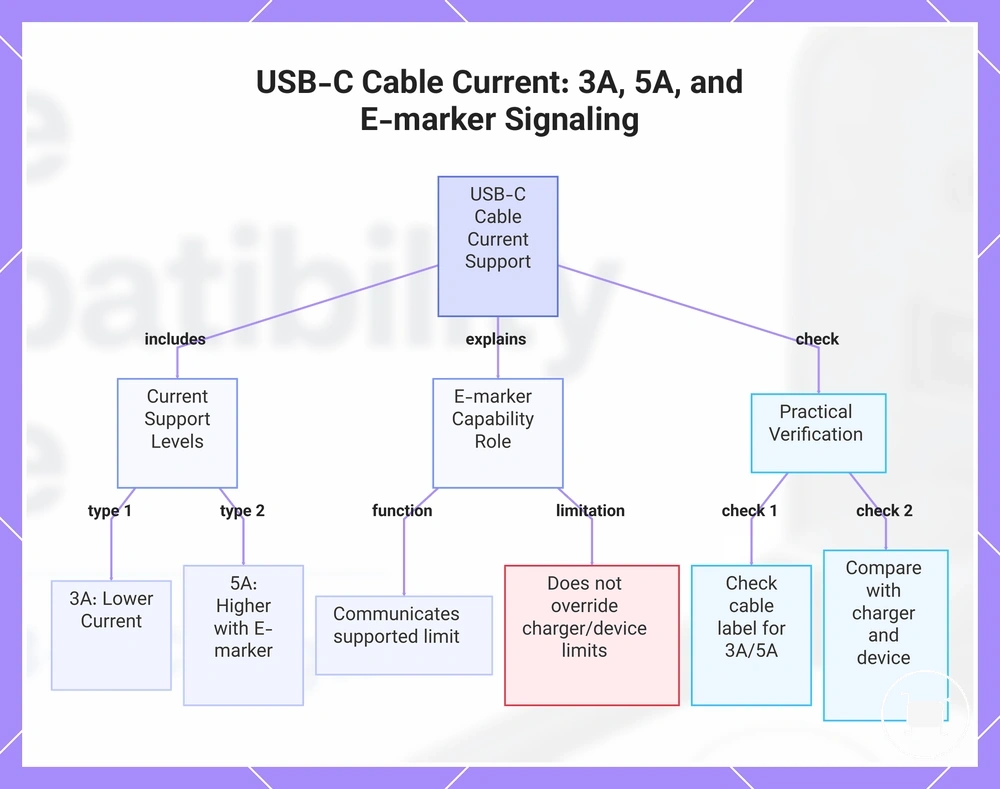
3A, 5A, and E-marker capability signaling depend on the cable's current support and how the charger and device recognize that capability. A 3A cable supports a lower current level, while 5A support is commonly associated with E-marker capability signaling that communicates the cable's supported limit. The charging outcome still depends on charger recognition, device negotiation, and the resulting power ceiling.
When higher-power charging is expected, checking the cable label or packaging can help identify current support and any E-marker indication. Ordinary charging may not require an E-marker in every case, but capability signaling becomes more relevant for higher current support. E-marker capability communicates supported limits and does not override charger or device limits.
- Check whether the USB-C cable is labeled for 3A or 5A current support.
- Look for an E-marker indication when higher current support is expected.
- Compare the cable label with the charger and device capabilities.
- If charging remains limited, the power ceiling may still depend on charger recognition and device negotiation.
This chart explains the difference between 3A and 5A current support, the role of E-marker capability signaling, and the practical checks to identify cable limits.
USB-C PD support and connector path limits
USB-C PD support and connector path limits depend on both protocol support and the complete connector path between the charger and the device. Fast charging may occur only when the port type, cable ends, current rating, and negotiation path support the same charging route. The main connector paths are USB-C to USB-C and USB-A to USB-C.
When a cable fits physically, the expected USB-C PD path may still be unavailable if the connector path or protocol support differs. For more detail about charging protocol support, see the dedicated guide. The table below compares common connector paths, and the USB-C and USB-A port mix page explains broader port combinations without expanding this compatibility topic.
| Connector path | PD support | Limiting condition | Likely charging outcome |
|---|---|---|---|
| USB-C to USB-C | Typically supports a USB-C PD negotiation path when compatible | Port type, cable rating, and device support | May support higher-power fast charging when all components are compatible |
| USB-A to USB-C | May have reduced or no USB-C PD path | Older connector path and protocol limitations | Charging outcome depends on charger, cable, and device support |
| Unclear or mixed cable paths | Cannot be assumed | Unknown cable ends or negotiation path | Compatibility should be verified before expecting fast charging |
USB-C to USB-C cables for Power Delivery charging
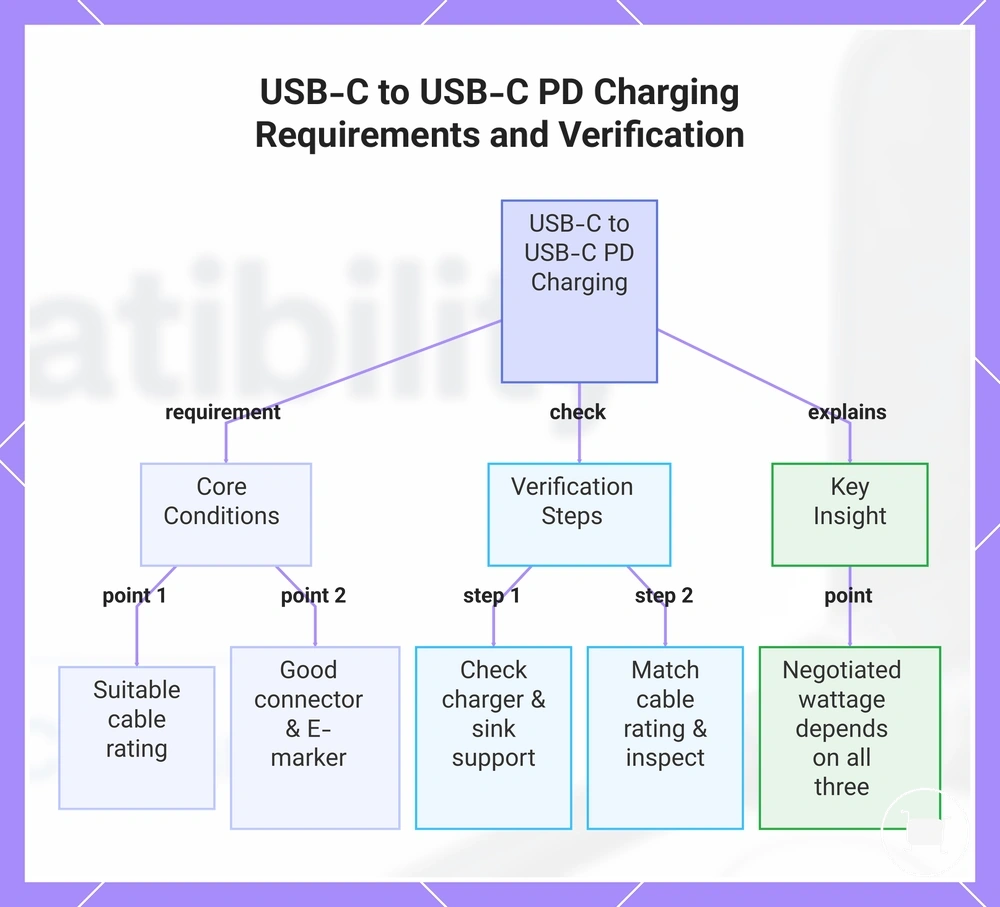
USB-C to USB-C is the main Power Delivery cable path when the charger source port and the sink device both support the same PD charging route. The USB-C cable still needs a suitable cable rating, connector condition, and E-marker condition for the negotiated wattage expected by the device. A USB-C to USB-C cable alone does not guarantee maximum speed, so rating and device demand still need to be verified.
A laptop, tablet, or phone may draw different power from the same USB-C to USB-C setup because negotiated wattage depends on the charger, cable, and device together. Use the checklist to confirm the local conditions before expecting higher-power charging.
- Check that the charger source port supports the intended Power Delivery path.
- Confirm that the sink device can request the charging level you expect.
- Match the cable rating to the device requirement and charger output.
- Inspect connector condition for a stable physical connection.
- Check E-marker condition when higher-power charging depends on cable signaling.
This chart shows the key conditions, verification steps, and a critical insight for reliable USB-C to USB-C Power Delivery charging.
USB-A to USB-C cables and reduced fast-charging support
USB-A to USB-C cables can charge USB-C devices, but they usually do not provide the same USB-C PD power path as USB-C to USB-C. A USB-A source can limit reduced fast-charging support because the connector path, cable current support, and device compatibility shape the charging outcome. This cable path may still be useful for some phones or lower-demand devices when expectations are conditional.
A laptop may have reduced laptop suitability with USB-A to USB-C charging when power demand is higher, while some phones may still use older fast-charge protocols through a legacy port path. The limitation is the cable path and negotiation route, not a claim that every USB-A connection is unsafe or unusable.
| Cable path | PD support | Typical use case |
|---|---|---|
| USB-A to USB-C | Usually reduced compared with USB-C to USB-C | Phone charging or lower-demand device charging when compatible |
| USB-C to USB-C | More suitable for a USB-C PD path when charger and device support it | Higher-power charging paths, including many laptop charging setups |
Matching cable capability to phones, tablets, and laptops
One USB-C cable can often support phones, tablets, and laptops when its cable capability exceeds the highest practical device need and the charger port output supports the same charging path. The cable rating should match the most demanding device in the mix, while lower-demand devices can usually negotiate only the power they need. The charging outcome remains conditional on device support, charger output, and the cable path.
In a mixed-device setup, phones may need less power, tablets may sit in the middle, and laptops may place higher demand on the same shared cable. A higher-rated cable can provide headroom for the laptop side of the device mix, but that headroom may be unnecessary for phones and some tablets. The matrix connects each device category to power requirement, cable capability, and likely result.
| Device type | Power requirement pattern | Cable capability to check | Likely result |
|---|---|---|---|
| Phones | Lower demand in many charging setups | Cable rating and safe negotiation with charger port output | Often compatible with extra cable headroom, depending on device compatibility |
| Tablets | Moderate demand compared with phones and many laptops | Cable rating matched to tablet power requirement and charger output | May charge well when the cable and port can support the tablet demand |
| Lower-power laptops | Higher demand than phones or tablets, but not always maximum laptop demand | Cable rating, charger port output, and device charging requirement | Can be supported when the shared cable exceeds the laptop requirement |
| Higher-power laptops | Higher demand with greater bottleneck risk | Higher cable rating, suitable charger port output, and E-marker condition when needed | May need more cable headroom; charging outcome depends on the full compatibility path |
Laptop charging and high-wattage cable headroom
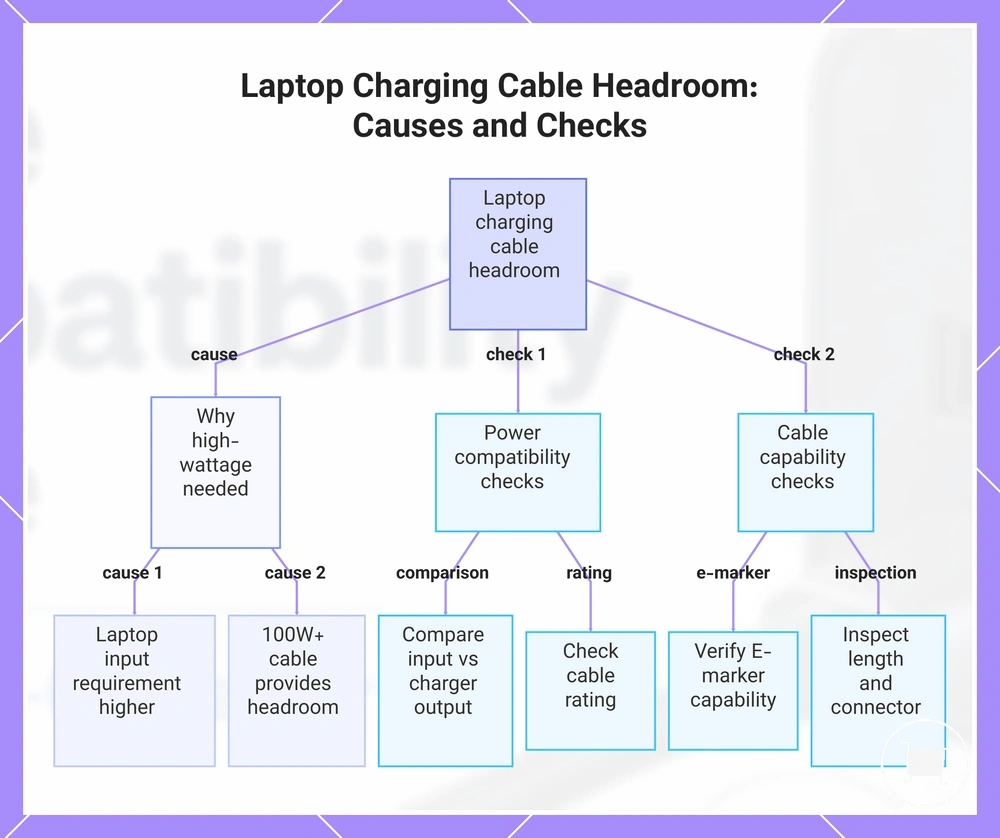
Laptop charging often has the greatest need for high-wattage cable headroom because the laptop input requirement may be higher than that of phones or tablets. A high-wattage cable, such as a 100W or higher cable rating, can provide additional headroom when the charger single-port output and the laptop support the same charging path. Cable suitability still depends on cable rating, E-marker capability where applicable, cable length, and device compatibility.
When a laptop charges slowly or only maintains battery level during use, the cable may not support the requested power even if the charger can provide more output. Cable length, connector condition, and compatibility between the charger, cable, and laptop can influence the charging result, so this behavior remains conditional rather than universal.
- Compare the laptop input requirement with the charger single-port output.
- Check whether the cable rating provides enough headroom, such as a 100W or higher cable rating when appropriate.
- Verify E-marker capability if higher-power cable support is expected.
- Inspect cable length and connector condition if charging performance appears reduced.
- If the laptop charges slowly or only maintains battery level, the cable may be limiting the requested power.
This chart shows why high-wattage cables are needed for laptop charging and the key checks to diagnose cable-related slow charging.
Phone and tablet charging with higher-rated cables
Phone charging and tablet charging can usually use higher-rated cables because device demand is determined through charger negotiation rather than by cable rating alone. A higher-rated cable can provide additional cable headroom when protocol compatibility, the charger, and the device support the same charging path, but it does not automatically make charging faster.
When a shared charging kit is used for mixed devices, a higher-rated cable can offer practical value because the same cable may be suitable for phones, tablets, and higher-demand devices. The charging result still depends on device demand, charger negotiation, and protocol compatibility, so extra cable headroom provides flexibility rather than a universal speed boost.
| Myth | Reality |
|---|---|
| A 100W or 240W cable automatically makes a phone or tablet charge faster. | Charging speed depends on negotiated power, device demand, and protocol compatibility rather than cable rating alone. |
| A higher-rated cable always delivers too much wattage to a phone or tablet. | Phones and tablets typically accept only the power negotiated with a compatible charger and supported charging protocol. |
Buying criteria for a compatible USB-C charging cable
Buying criteria for a compatible USB-C charging cable depend on matching the cable to your charger, device, and intended charging path. Start by evaluating the wattage rating, USB-C to USB-C compatibility, and device fit before deciding whether a minimum viable cable or a higher-headroom cable better suits your charging needs.
When a basic charging setup is all that is required, a compatible cable with the correct USB-C to USB-C path and suitable current support may be sufficient. As charging demand increases, cable capability becomes a more important selection criterion than connector appearance alone.
- Match the wattage rating to your highest expected charging requirement.
- Check E-marker or current support when higher-wattage charging headroom may be needed.
- Confirm the USB-C to USB-C cable path if your charger and device use USB-C Power Delivery.
- Choose an appropriate cable length for practical use without assuming identical charging performance across all lengths.
- Inspect connector durability for repeated connection and disconnection.
- Look for clear labeling clarity so cable capability is easier to verify before purchase.
When the same cable will be shared across multiple devices, a higher-headroom cable with clear labeling and suitable connector durability can provide greater flexibility. Data support may also matter if the cable is expected to transfer files as well as charge devices, so cable selection should reflect practical use rather than charging alone.
A compatible USB-C charging cable is selected by evaluating buying criteria instead of relying on marketing claims or a single specification. Device fit, wattage rating, cable capability, and charger compatibility should be considered together because charging results depend on the complete connection path. Following principles of safe cable use can also help reduce compatibility mistakes before choosing a cable.
Here are product examples that may make comparison easier. Before buying, always review the compatibility criteria, essential features, and product details.
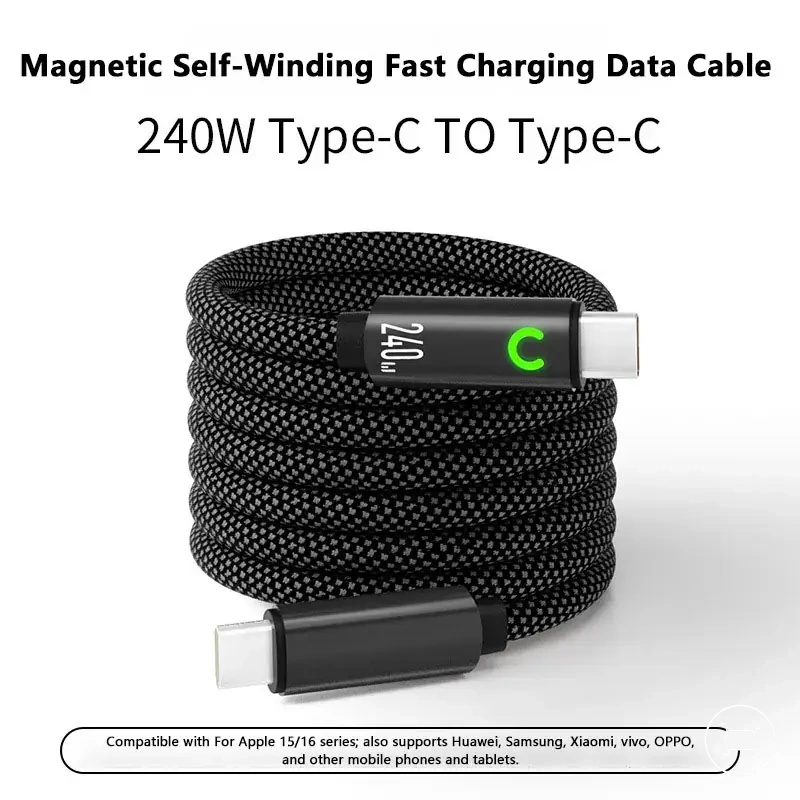
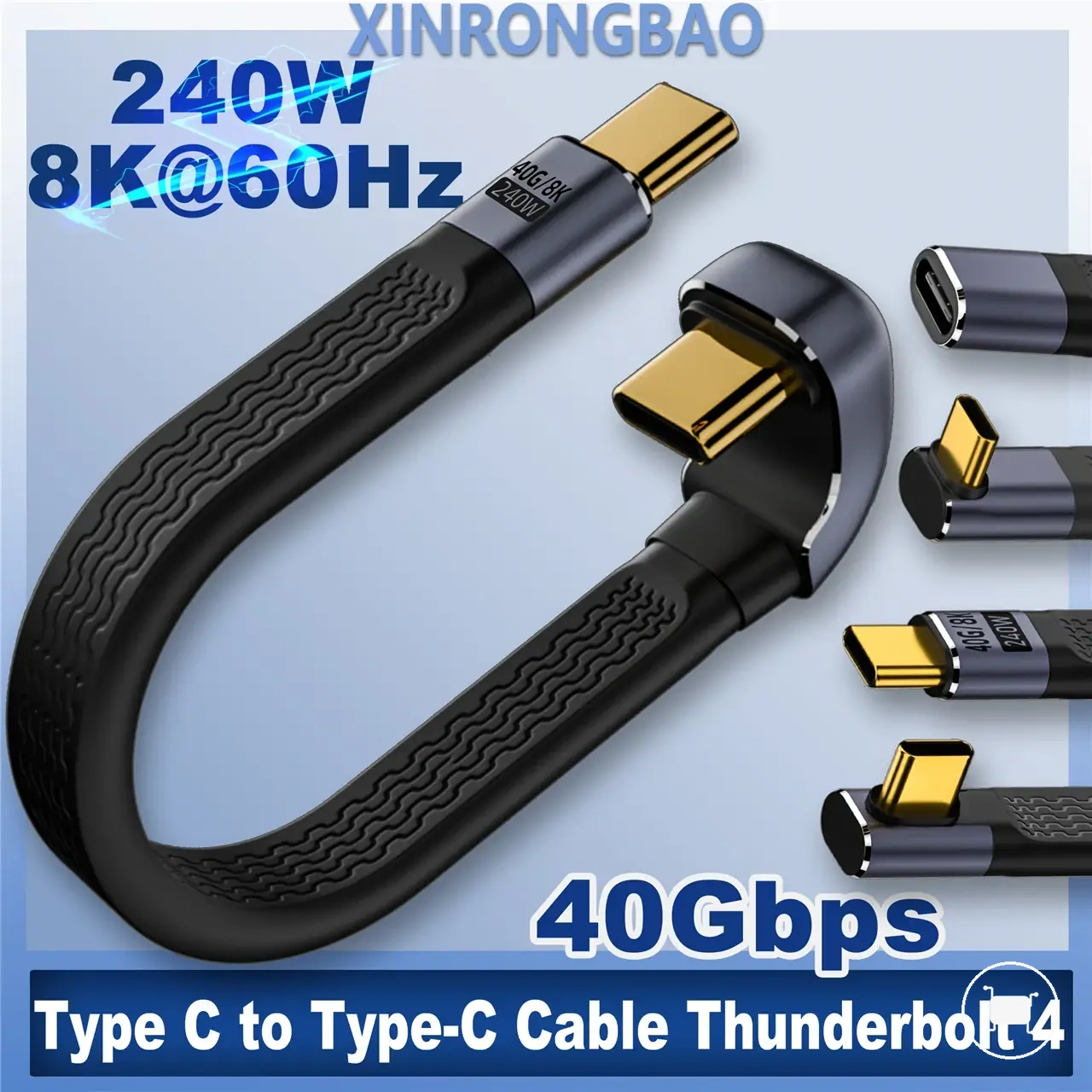
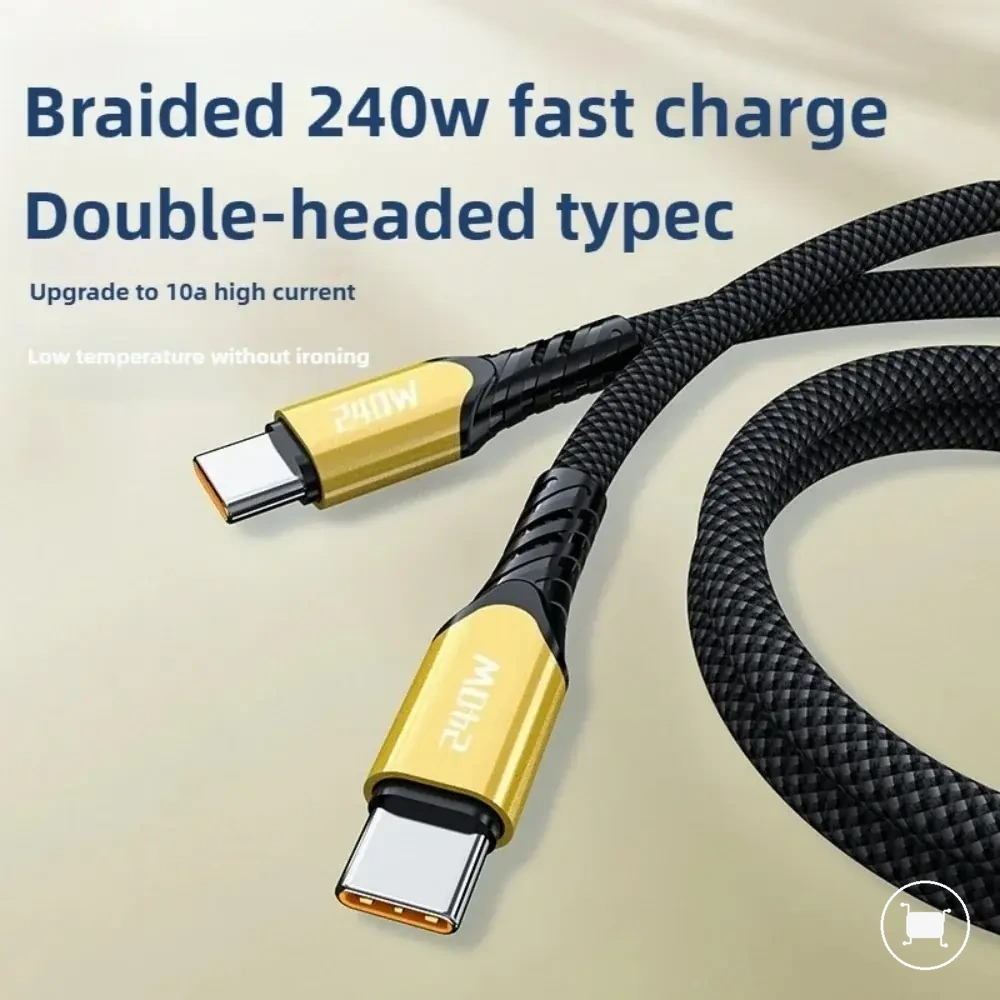
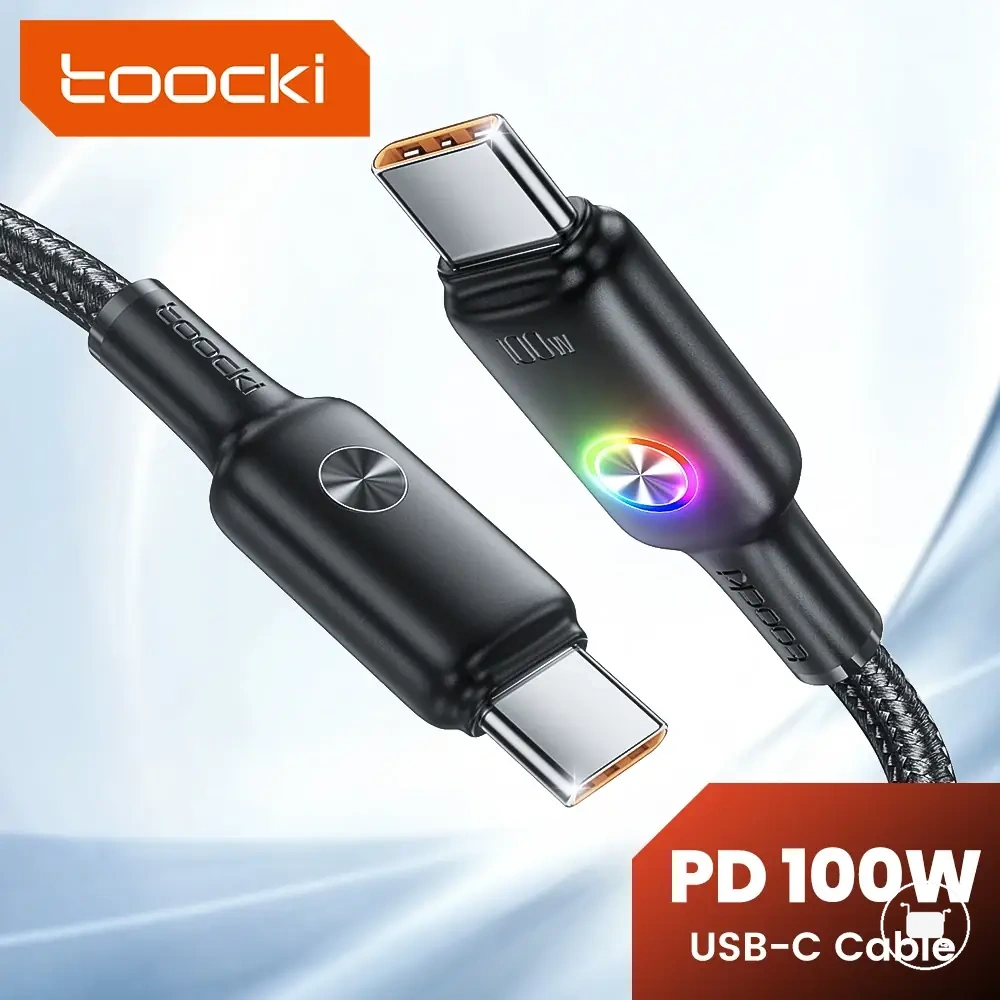
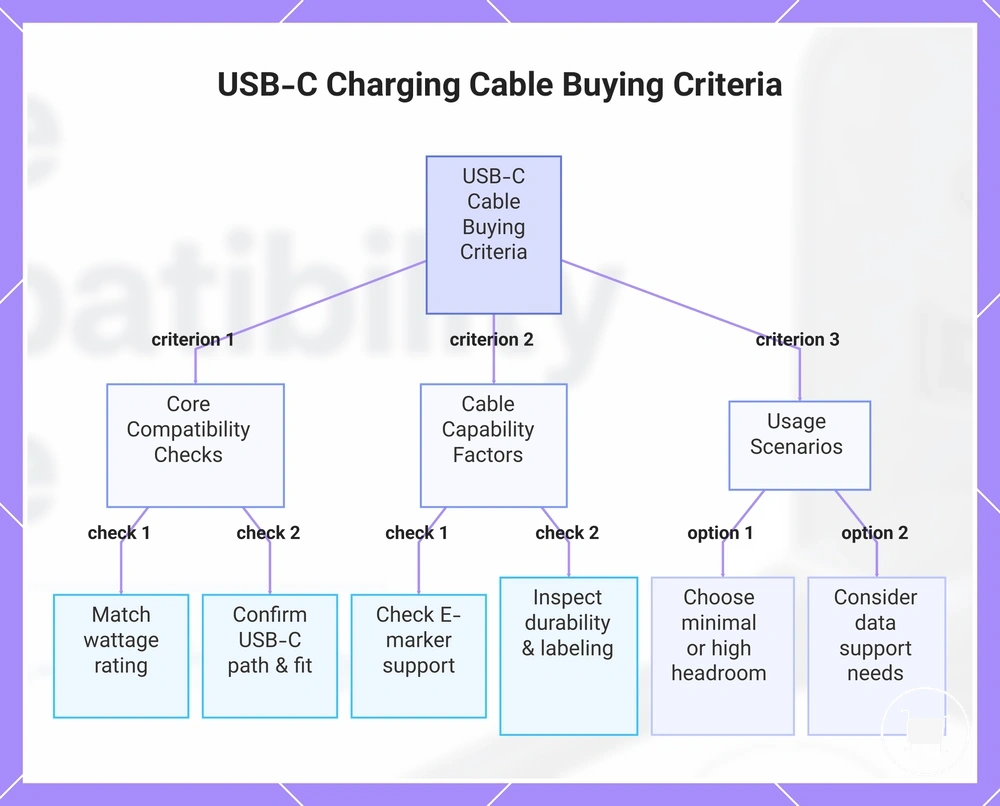
This chart shows the key buying criteria for a compatible USB-C charging cable, including compatibility checks, cable capability factors, and usage considerations.
Wattage labels, certifications, and capability claims
Wattage labels, certification language, and capability claims should be checked against the cable capability they appear to describe. Printed wattage, 3A or 5A current rating, E-marker mention, and USB-IF wording can help with verification, but no package claim should be treated as proof of actual charging behavior by itself.
A cable may advertise higher-power capability while actual behavior still depends on the charger, cable, and device negotiation path. The safer approach is to treat claim wording as a signal to verify, not as an official guarantee of speed or capability.
- Check the printed wattage and compare it with the charging need you expect.
- Look for a 3A or 5A current rating when current support affects the charging path.
- Check whether an E-marker is mentioned when higher-power capability needs signaling.
- Read USB-IF or certification language cautiously and avoid treating wording alone as proof.
- Watch for mismatch risk between marketing claims and actual behavior during use.
Length, durability, data support, and connector fit
Length, durability, data support, and connector fit affect practical compatibility after the cable already satisfies the core power requirement. These secondary attributes influence long-term usability, connection stability, and non-charging use without replacing wattage or protocol compatibility checks. Use the bullets to judge each attribute by condition and practical effect.
- Cable length: A longer cable may improve setup convenience, but charging behavior can still depend on cable build, charger output, and device demand.
- Strain relief: Better strain relief can reduce wear risk near the connector during repeated bending or movement.
- Jacket durability: Stronger jacket durability may support long-term usability when the cable is packed, moved, or used daily.
- Data support: Data capability matters when the same cable is expected to handle non-charging use, such as file transfer or device connection.
- Connector fit: Secure connector fit can improve connection stability by helping maintain steady port contact during charging.
When the cable is the likely fast-charging bottleneck
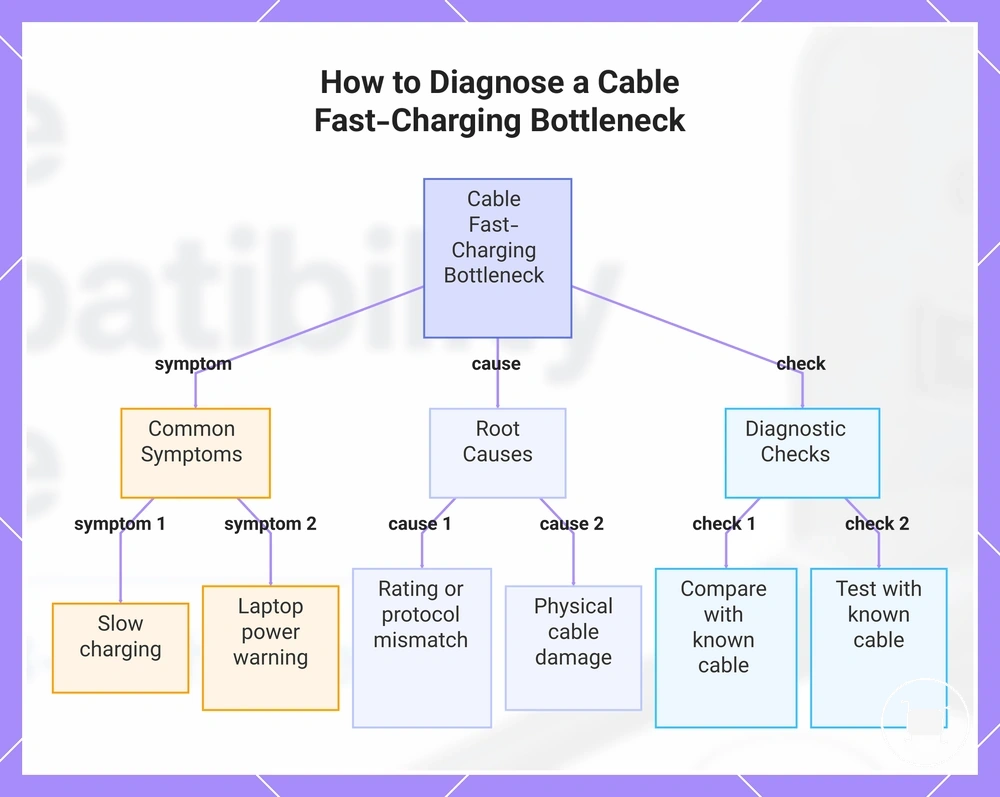
When slow charging or missing fast charging occurs, the cable can be one likely cause, but it is not the only possibility. A fast-charging bottleneck may appear when the cable rating does not match device demand or when cable-side issues limit the charging path. Common cable-side symptoms include slow charging, a laptop power warning, or reduced charging performance with an otherwise compatible charger.
If a damaged cable, loose connector, missing E-marker support, or a USB-A path limit is present, the charging result may be reduced even when the charger and device support higher charging levels. An unstable connection or worn cable jacket can also interrupt reliable power delivery. Comparing the setup with a known compatible cable can help determine whether the cable is the likely limiting factor.
Testing with a known compatible cable can help isolate the cable variable before assuming a charger or device fault. Use these diagnostic checks: slow charging may point to a cable rating below device demand; a laptop power warning may suggest missing E-marker support for higher-power charging; a loose connector or damaged cable jacket may cause an unstable connection; a USB-A path limit may reduce fast charging; and a known compatible cable can help confirm whether the cable is the likely bottleneck. If these checks do not explain the issue, continue with broader not charging troubleshooting, as charger output, port sharing, device protocol, heat, or software may also affect charging performance.
Here are product examples that may make comparison easier. Before buying, always review the compatibility criteria, essential features, and product details.
Use this chart to identify whether the cable is causing slow or missing fast charging by checking symptoms, root causes, and simple tests.